
One photo. Whole crew.
Mi Chico Dance AI Video Generator
The Mi Chico Dance AI Video Generator drops you and up to two friends onto a rooftop parking deck at sunset, then runs the crew through the same arm and step pattern from a single photo each. Ready to post on TikTok, Instagram Reels or YouTube Shorts.
Watch the original performance.
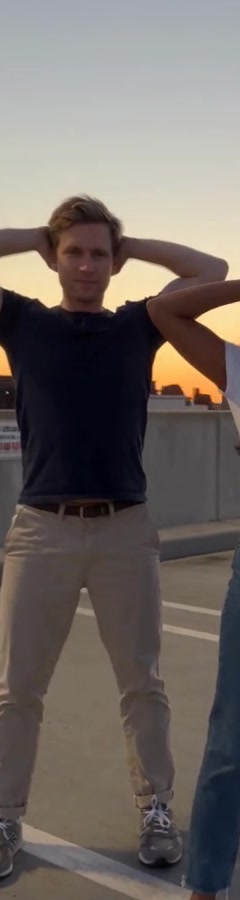
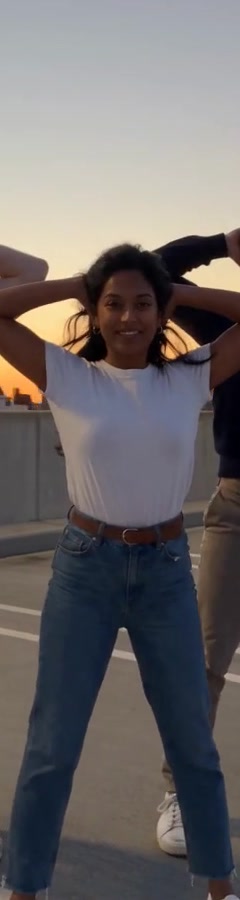
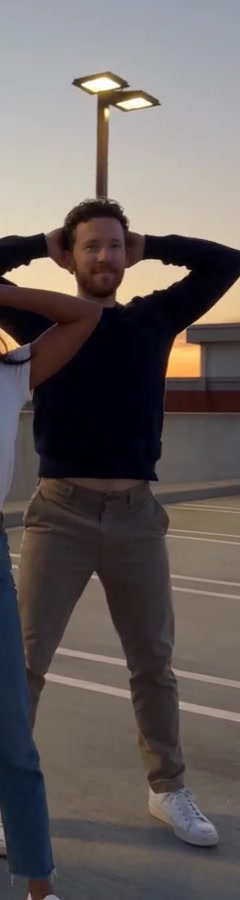
See a Mi Chico Dance video with its input photos.
How to make a Mi Chico Dance AI video
Add your photos.
Upload the photos requested by this template. Follow the labels and fill every required slot.
Choose your settings.
Choose from the available video options and review the credits before generating.
Generate and download.
Generate your video, watch the result and download the MP4. Find it again in your library.
What is the Mi Chico Dance AI Video Generator?
The Mi Chico Dance AI Video Generator recreates the crew version of the trend: a wide rooftop shot at sunset where the dancers move in sync through hands-overhead poses, quick side steps and a squared stance with hands behind the head.
One photo is enough for a solo, two make a duo and three fill the row. Each photo supplies one dancer and their outfit, while the template keeps the parking deck, the white lines, the light pole and the sunset sky. The track from the reference sets the timing, so the group hits the poses together.
The creation panel defaults to 15 seconds, a 9:16 frame, Standard 480p quality and original sound, and you can switch to HD 720p. You do not need to film on a rooftop or write a prompt. Watch the result, download the MP4 and check the faces and the timing before you post.
Your Mi Chico Dance video.
Your way to pay.
Seedance 2.5, ByteDance’s advanced AI video model, generates your video. A 15-second template video costs 100 credits in Standard or 150 in HD.
If the person in your paid video clearly doesn’t resemble your uploaded photo, email us for one free remake with the same photo, template, resolution and duration.
100 Credits
Make your own Mi Chico Dance videos.
$9.90
1 Standard video
- 100 credits added to your balance
- One-time payment. No subscription.
- Purchased credits never expire
- Download your video, ready to share
150 Credits
Make your own Mi Chico Dance videos.
$14.90
1 Standard video
- 150 credits added to your balance
- One-time payment. No subscription.
- Purchased credits never expire
- Download your video, ready to share
Mi Chico Dance AI Video Generator FAQs
What is the Mi Chico Dance trend?
Mi Chico is a short, upbeat group dance built on hands-overhead poses, quick side steps and a squared final stance. People film it with friends on rooftops, in car parks and on streets at sunset, and the trend spread further once photo-to-video versions let anyone join without learning the moves.
What is the Mi Chico Dance AI Video Generator?
The Mi Chico Dance AI Video Generator turns one to three photos into a 15-second vertical crew dance on a rooftop parking deck at sunset. Each photo supplies one dancer and their outfit, and the template supplies the setting, the lighting and the movement. You can explore this and other photo-to-video templates on Nuzza AI.
What is the best Mi Chico Dance AI Video Generator?
Different tools suit different workflows. Nuzza AI keeps the whole routine in one template: one to three photos, the sunset rooftop setting, the trend's sound and an MP4 in 9:16 at 15 seconds. You do not need to film on a rooftop, line up friends on the day or write a prompt, and you can switch to a square or landscape frame, a shorter length or a silent version.
How does the AI Mi Chico Dance generator on Nuzza AI work?
Add your photos in the labeled slots, choose the duration, aspect ratio, quality and sound shown in the creation panel, then generate. The template follows the Mi Chico Dance reference while your photos supply who appears in it. When generation finishes, watch the result on the page and download the MP4.
What photos can I upload to Nuzza AI’s Mi Chico Dance generator?
Use one to three photos of different people, one person per photo, taken from the front with the face readable and the outfit visible from head to feet. Matching light helps the group look like one shot. Avoid group photos, screenshots and images where someone is cut off at the knees.
Can I customize my Mi Chico Dance video on Nuzza AI?
Yes. You can choose a length from 4 to 15 seconds, the aspect ratio, and Standard 480p or HD 720p quality in the creation panel, and keep the original sound or make a silent video. Each photo decides one dancer and their outfit; the deck, the sunset, the light pole and the camera distance stay as in the reference. Only the dancers you upload appear, so an empty slot is not filled with a stranger. Prompt entry stays off for this template.
Is Nuzza AI’s Mi Chico Dance video generator free?
Yes. New users receive free credits when they sign up for Nuzza AI, and these credits can be used toward Mi Chico Dance video generation. Each video requires credits based on the selected settings. If you need more credits to cover a generation, check the available plans.
How long does Nuzza AI’s Mi Chico Dance AI video maker take?
Generation time varies with the selected settings and current processing demand. Follow the task status on the page while your video is being created. Once it finishes, you can watch and download the result and find it again in your Nuzza AI library.
Will my Mi Chico Dance AI video preserve my appearance?
The template keeps the recognizable face, hair and outfit of each uploaded dancer while applying the group choreography. Fast overhead arm moves are the hardest part, so check hands, faces and the spacing between dancers in the finished clip before you share it.
How do I download and share my Mi Chico Dance video from Nuzza AI?
When generation finishes, open Your result to watch and download the MP4. The video is also saved in your Nuzza AI library under the same account. You can then upload the downloaded file to the social platform you want to use.
Make it your own.
Ready for your Mi Chico Dance AI video?
Create your own version with Nuzza AI.
Make my Mi Chico Dance video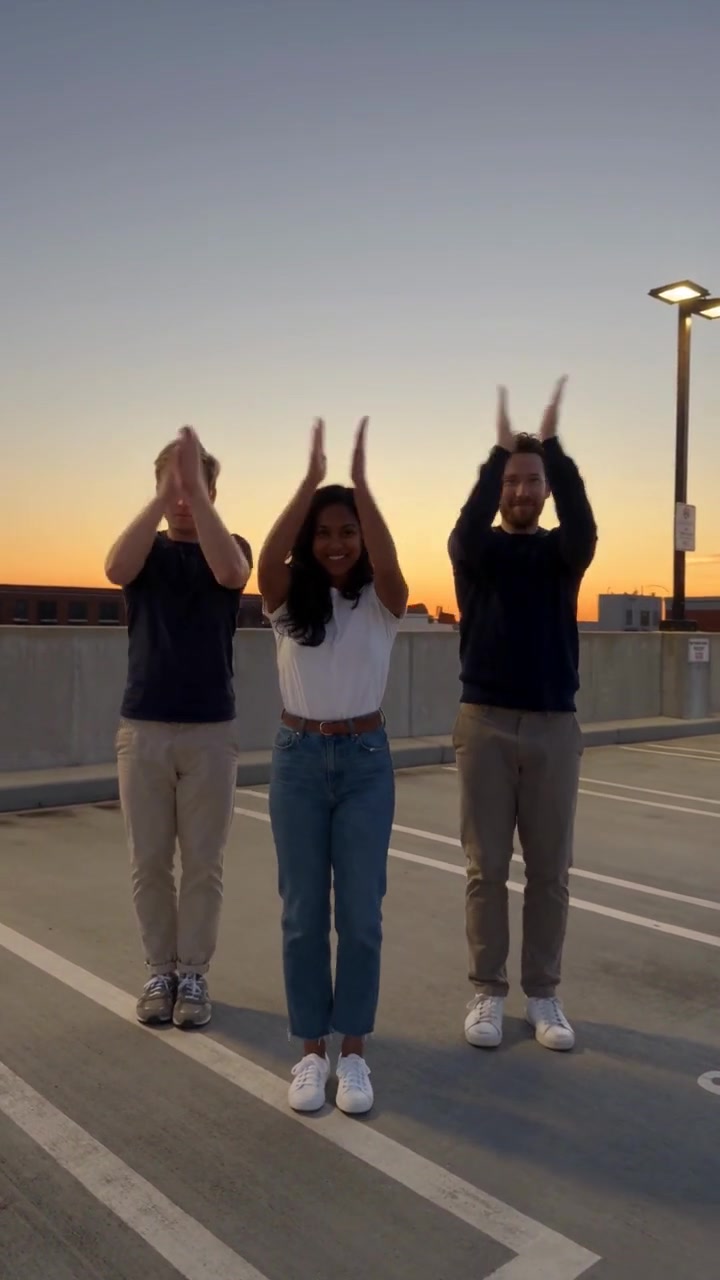
Nuzza AI