Upgrade
Loading account

Seedream 5 Lite

Seedream 5 Lite generates and edits structured images from prompts or references at 2K, 3K, or 4K. Try Seedream 5 Lite on Nuzza with common canvas shapes and up to six results per run.

Describe what you want to create with Seedream 5 Lite

Loading inspiration gallery.

    Seedream 5 Lite: Translate Complex Intent into a Coherent Scene

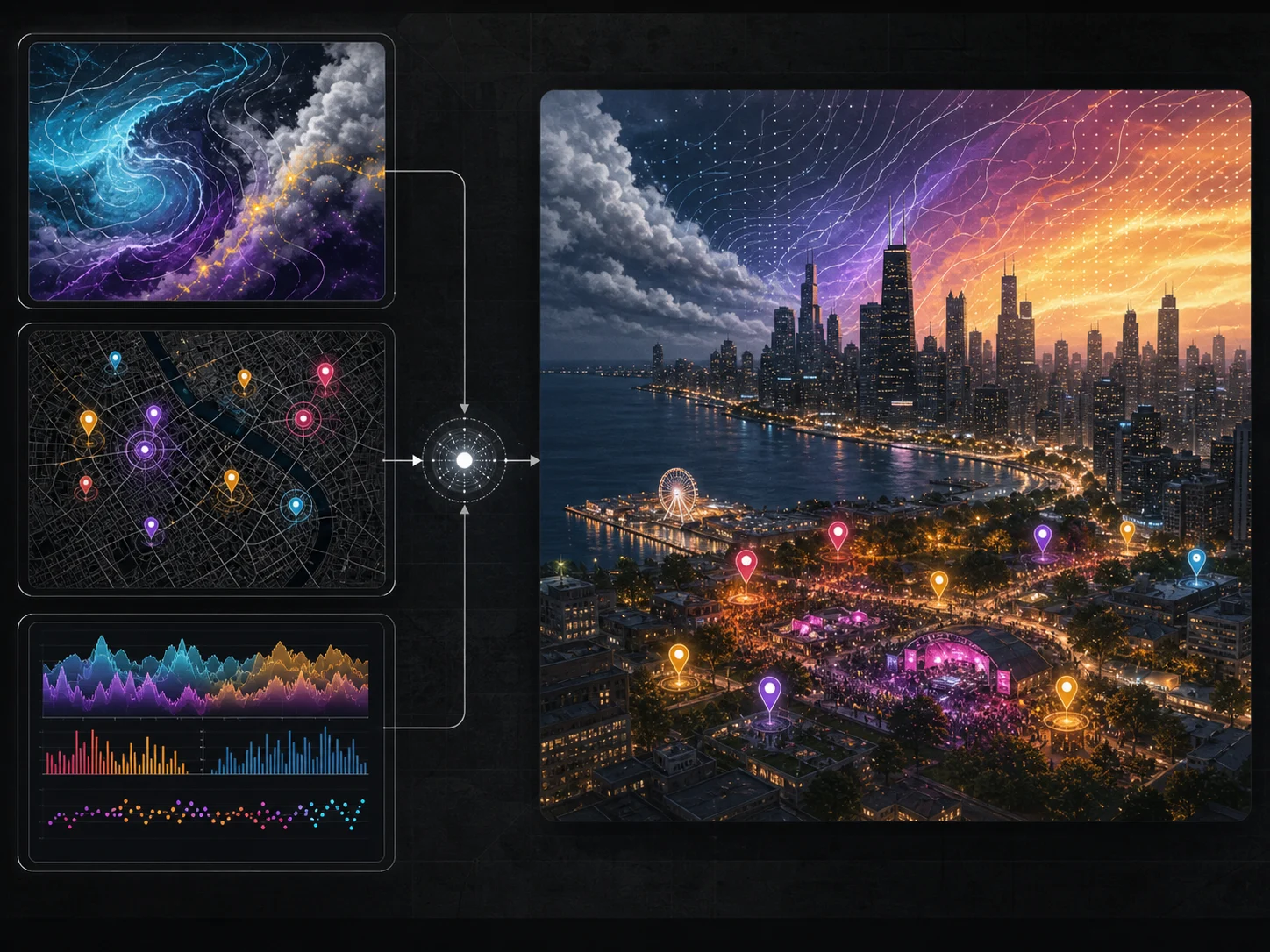
    Seedream 5 Lite workflow combining a structured prompt and a reference image into one coherent result

    Define the subject, action, setting, count, position, material, atmosphere, and visual priority as connected instructions rather than isolated style terms.

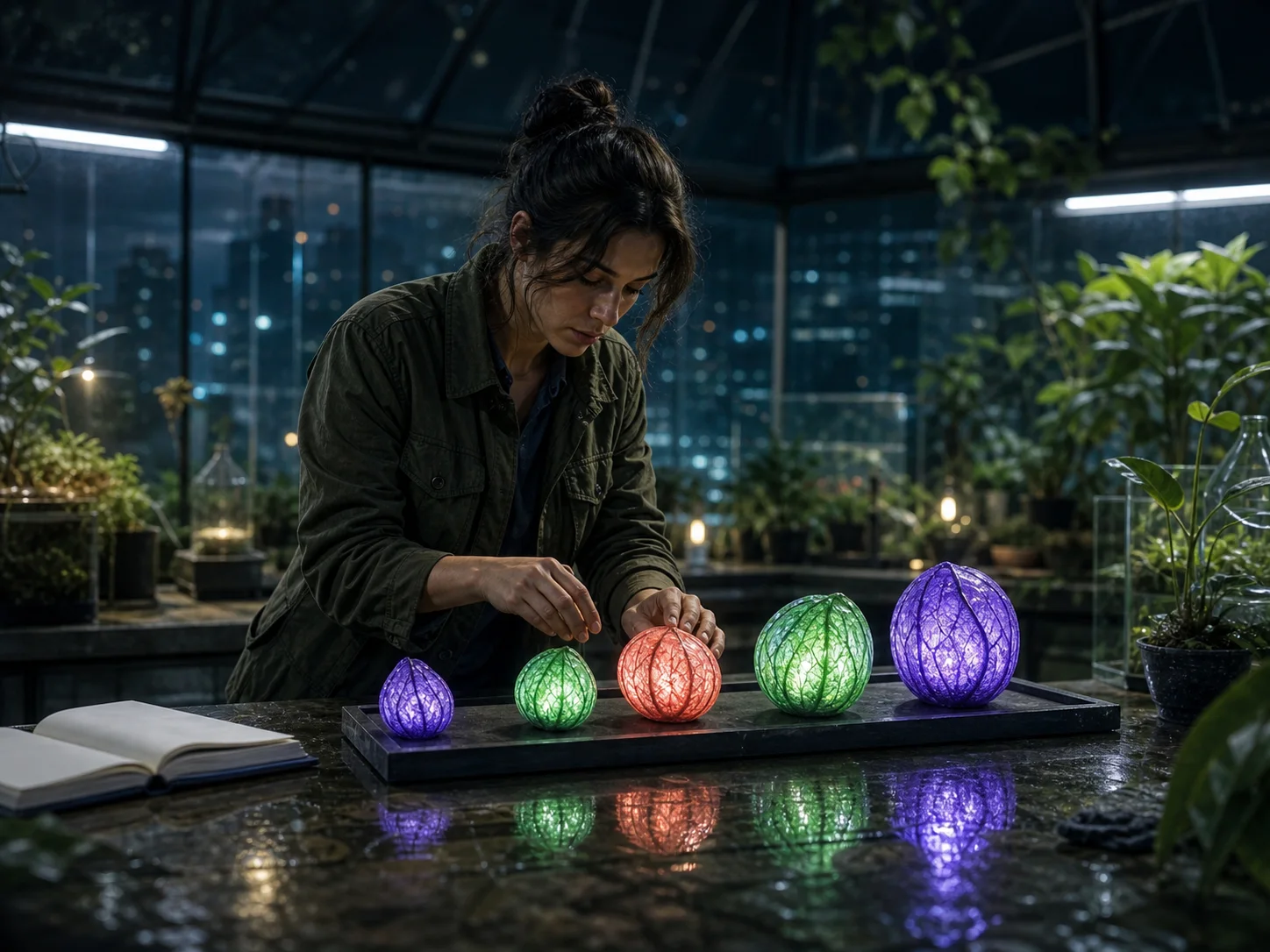
    Complex greenhouse scene with five precisely placed specimens, coherent depth, materials, and lighting

    Translate Complex Intent into a Coherent Scene

    Define the subject, action, setting, count, position, material, atmosphere, and visual priority as connected instructions rather than isolated style terms. Seedream 5 Lite is designed to reason across those relationships, making it useful when a scene must obey several checkable constraints without losing a clear focal point.

    Try For Free
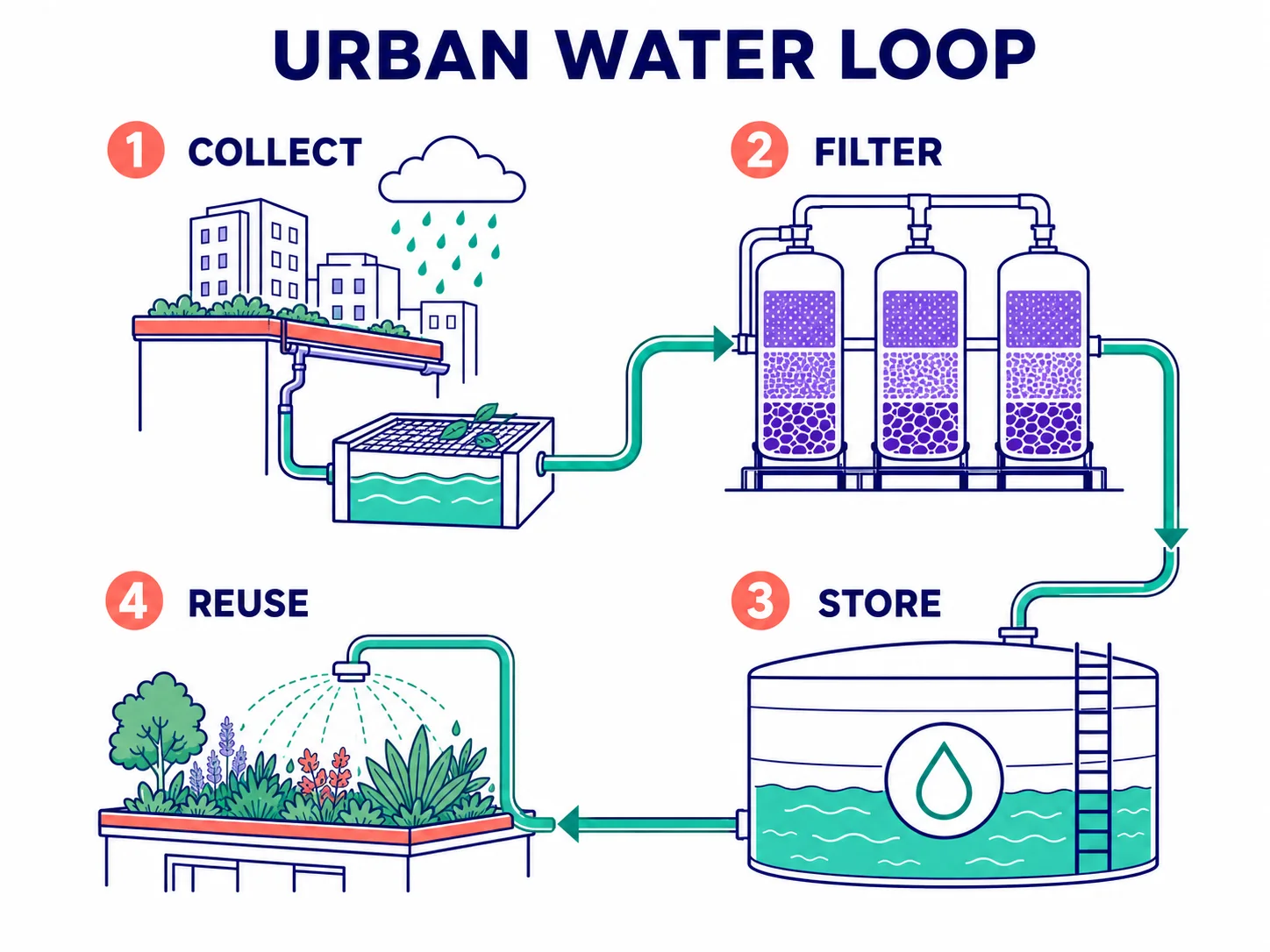
    Four-stage Urban Water Loop diagram with clear labels, arrows, and visual hierarchy

    Turn Structured Knowledge into Visual Explanations

    Ask for a diagram, slide, mind map, process graphic, or educational illustration with a named reading order and a small set of exact labels. World knowledge and visual reasoning can help organize the first draft, but generated facts, quantities, arrows, spelling, and scientific relationships must be checked against trusted sources before use.

    Try For Free
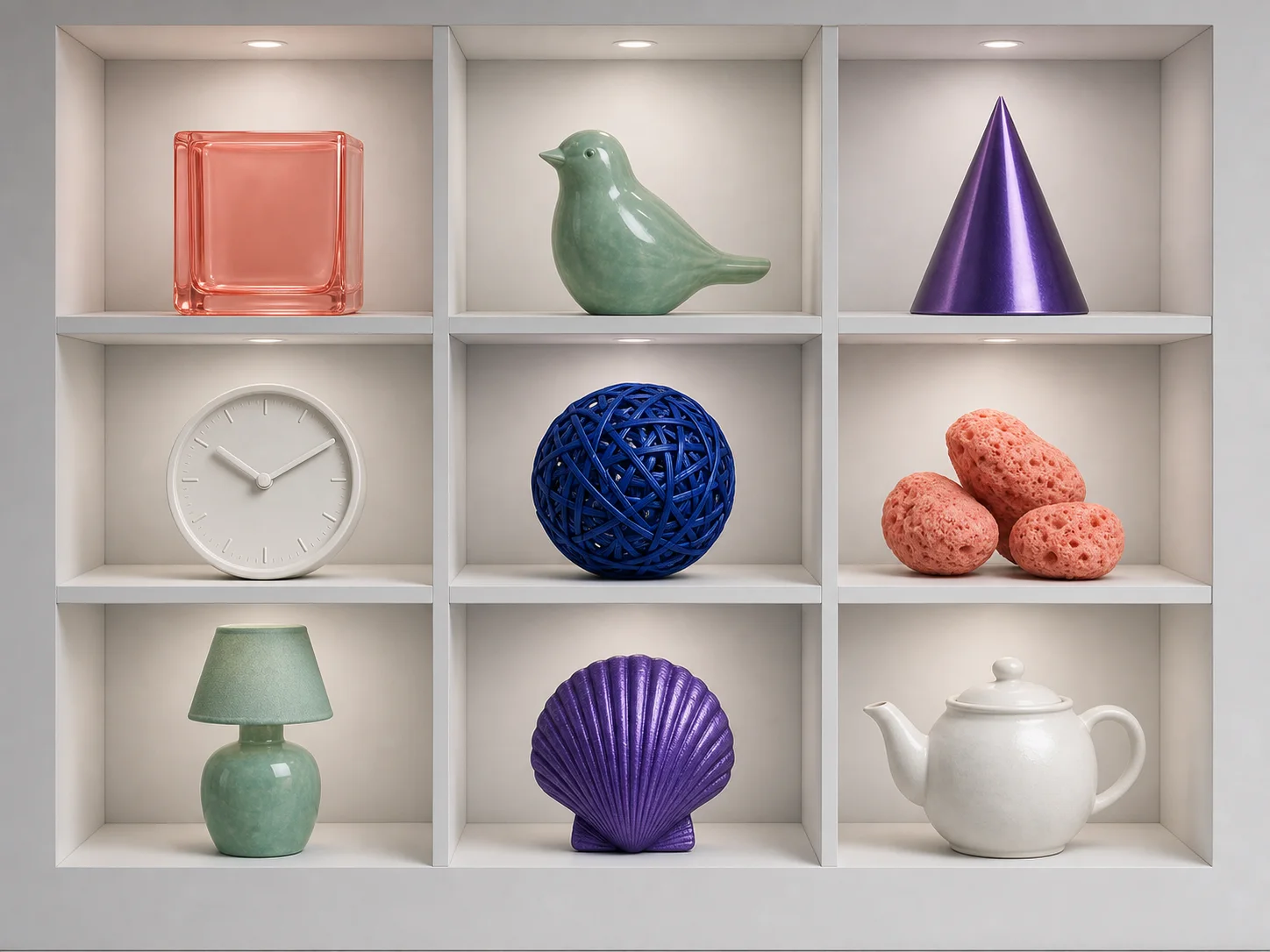
    Nine-cell display grid with distinct objects, colors, counts, and positions

    Arrange Multiple Subjects with Distinct Attributes

    Specify how many subjects belong in the scene, where each one sits, and which color, material, number, or action belongs to it. This turns a crowded brief into a layout that can be inspected cell by cell or subject by subject instead of relying on the model to infer every relationship.

    Try For Free
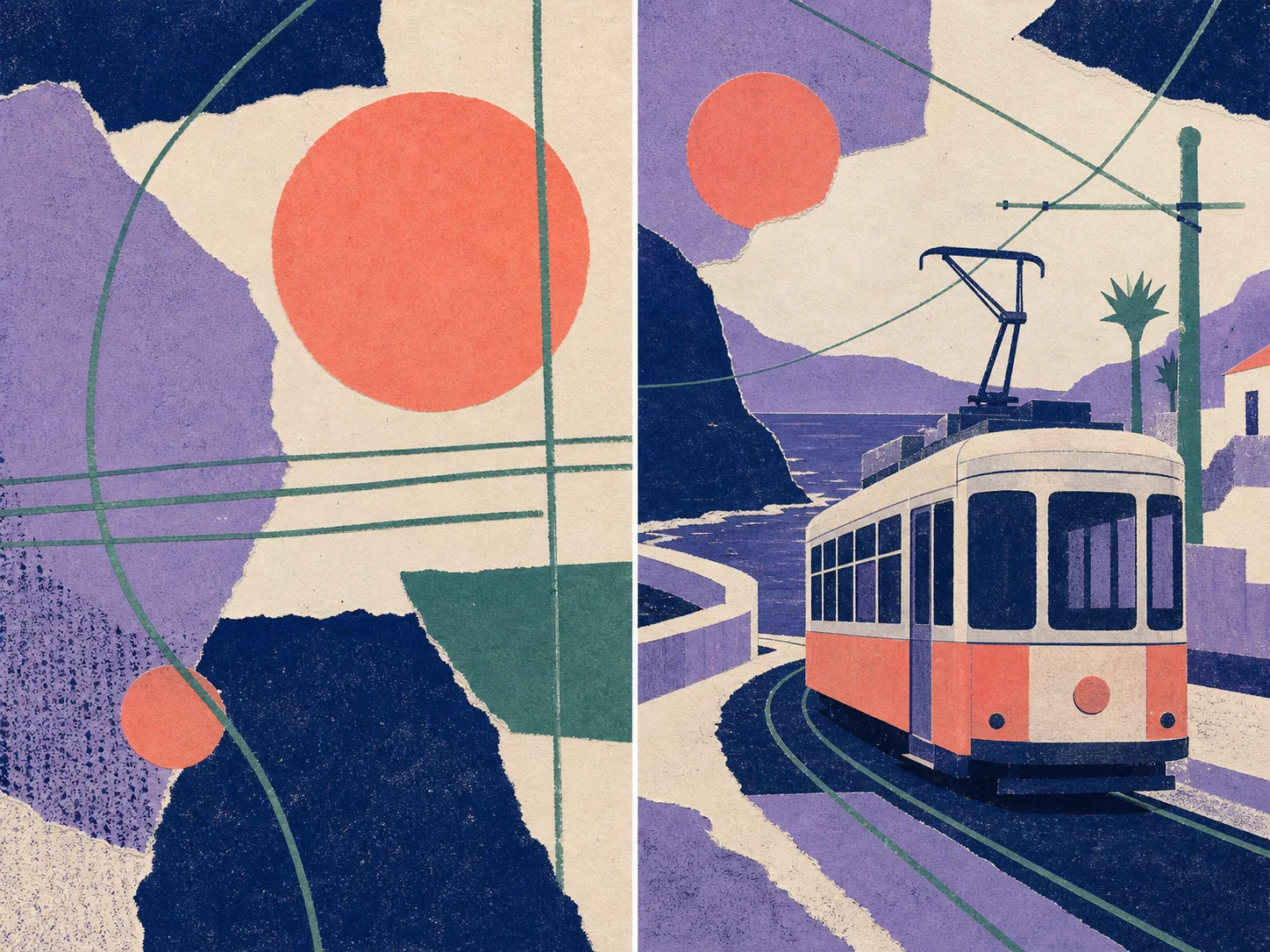
    Original paper-collage reference style transferred to a fictional coastal tram scene

    Carry a Visual Direction from One Image to Another

    Upload an original reference and describe which palette, texture, brushwork, lighting, or composition language should guide the result. Give the reference one clear role and state which subject details must remain recognizable, especially when a style change should not alter the object or character itself.

    Try For Free
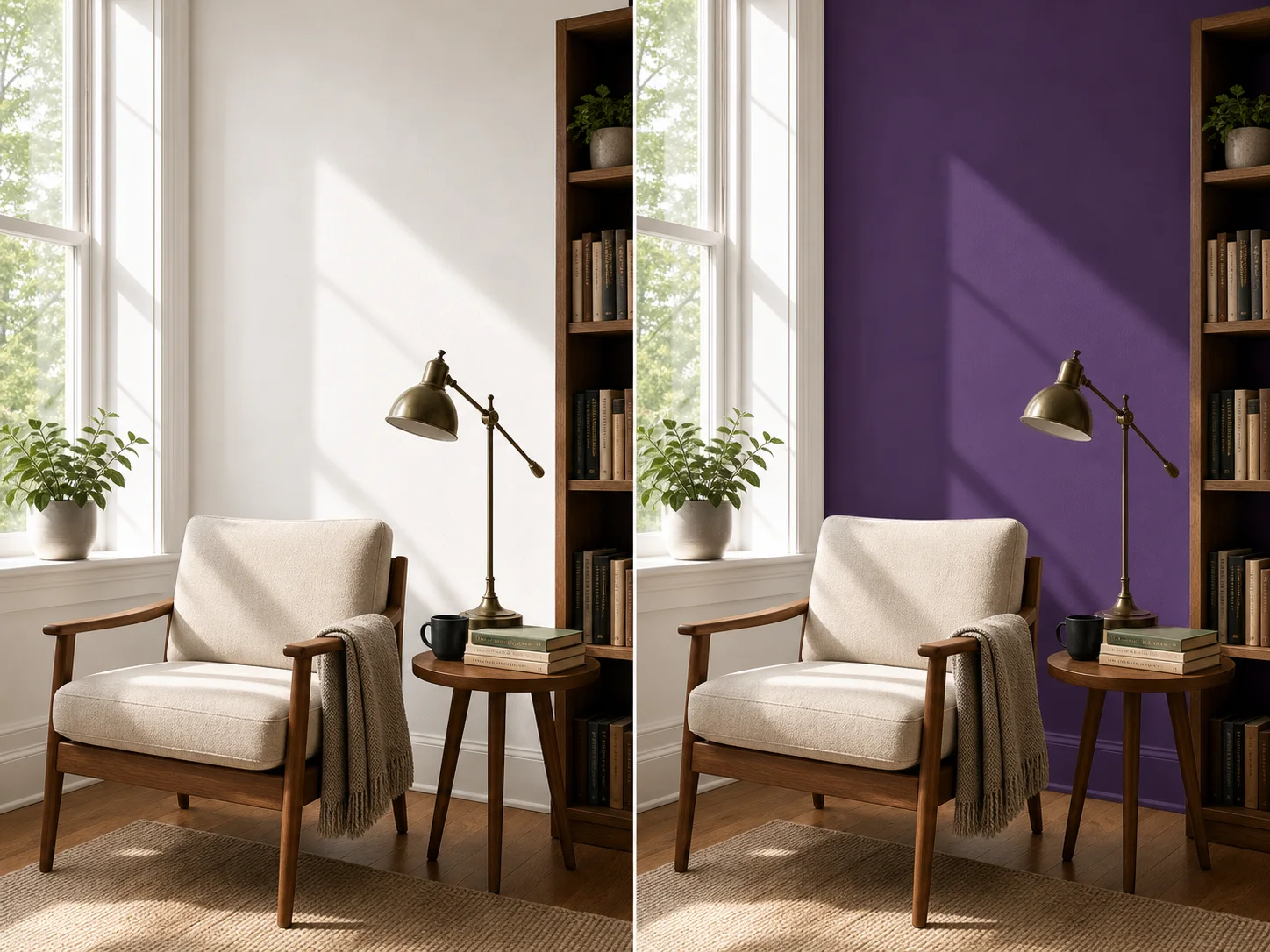
    Matched reading nook edit changing only wall color while preserving composition and objects

    Make a Targeted Edit without Rebuilding the Scene

    Describe the exact end state—such as a new wall color, product material, light direction, or focus plane—and list the camera, subject, geometry, objects, and surrounding details that should stay fixed. The underlying model emphasizes editing consistency, but close review is still necessary wherever identity, text, proportions, or fine structure matter.

    Try For Free

    How to Use Seedream 5 Lite

    Step 1

    Choose Generate or Edit

    Start with a written prompt, or add source images when the result must preserve, combine, restyle, or change existing visual details.

    Step 2

    Structure the Visual Intent

    Name the subject, scene, relationships, layout, palette, exact copy, requested change, fixed details, and one clear role for every reference.

    Step 3

    Set the Size and Inspect

    Choose a common preset or automatic 2K, 3K, or 4K band, request one to six outputs, then review text, counts, geometry, identities, facts, and preserved areas.

    When Should You Choose Seedream 5 Lite?

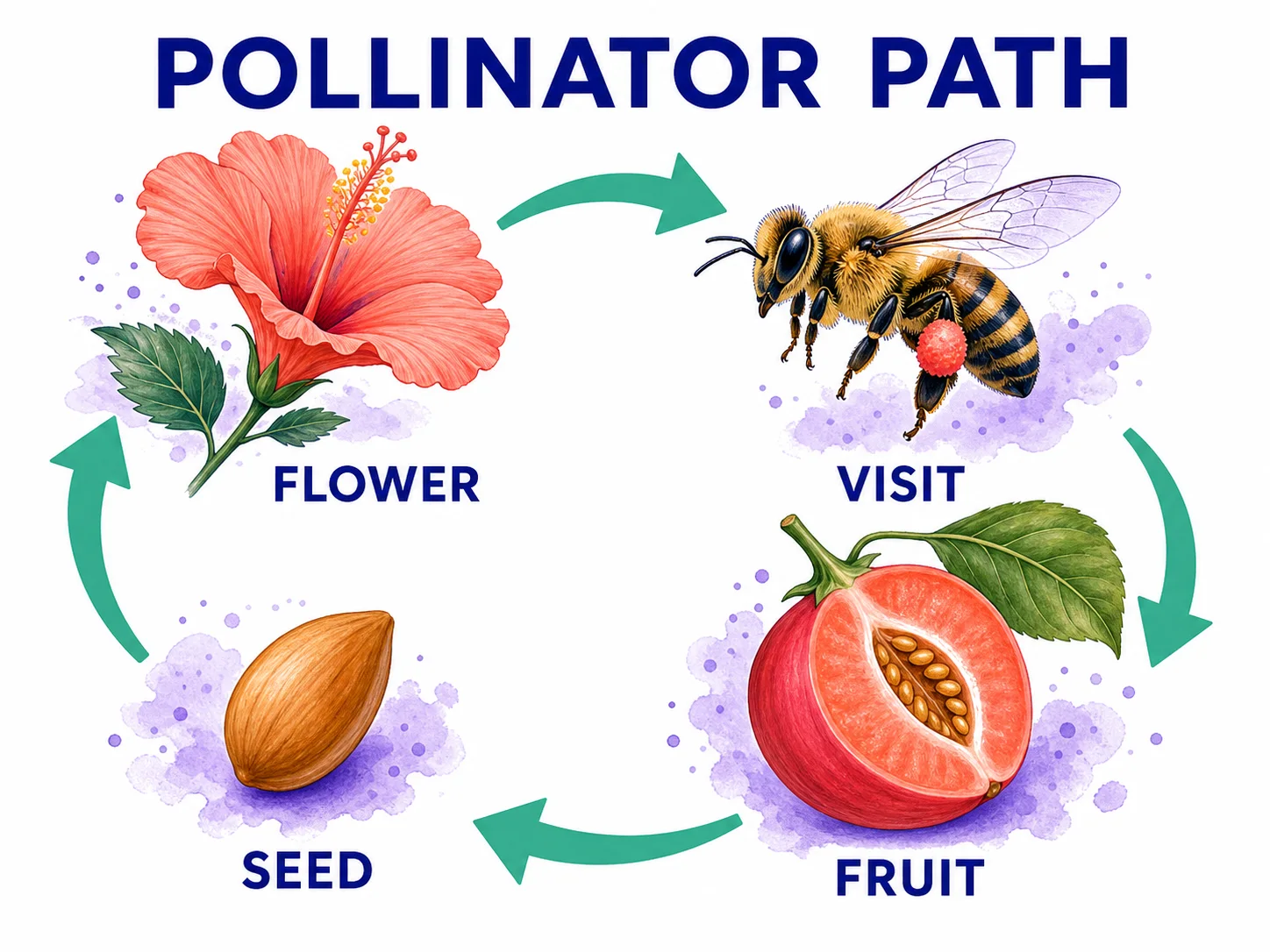
    Pollinator Path classroom slide with four ordered stages and readable labels

    Organize a process, lesson, or concept into a visual first draft.

    Choose Seedream 5 Lite for diagrams, presentation graphics, maps, and study aids when the main challenge is arranging several concepts into a readable relationship; verify the content before sharing it as factual material.

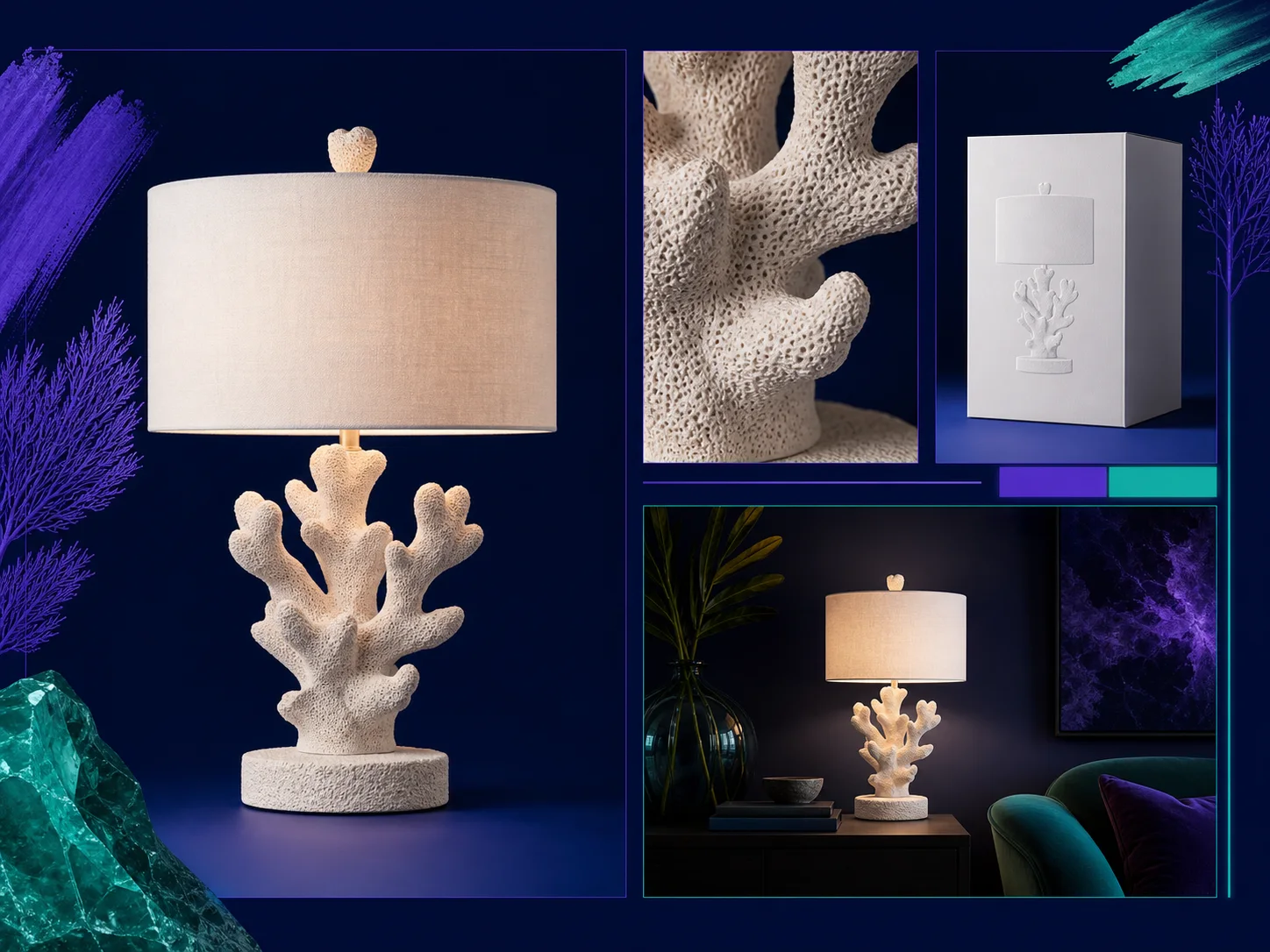
    Consistent fictional coral lamp across hero, detail, packaging, and lifestyle campaign panels

    Develop several product views around one recognizable design.

    Use the model for a hero image, packaging direction, close material view, and lifestyle concept when the product form and campaign palette need to remain coordinated across a compact visual board.

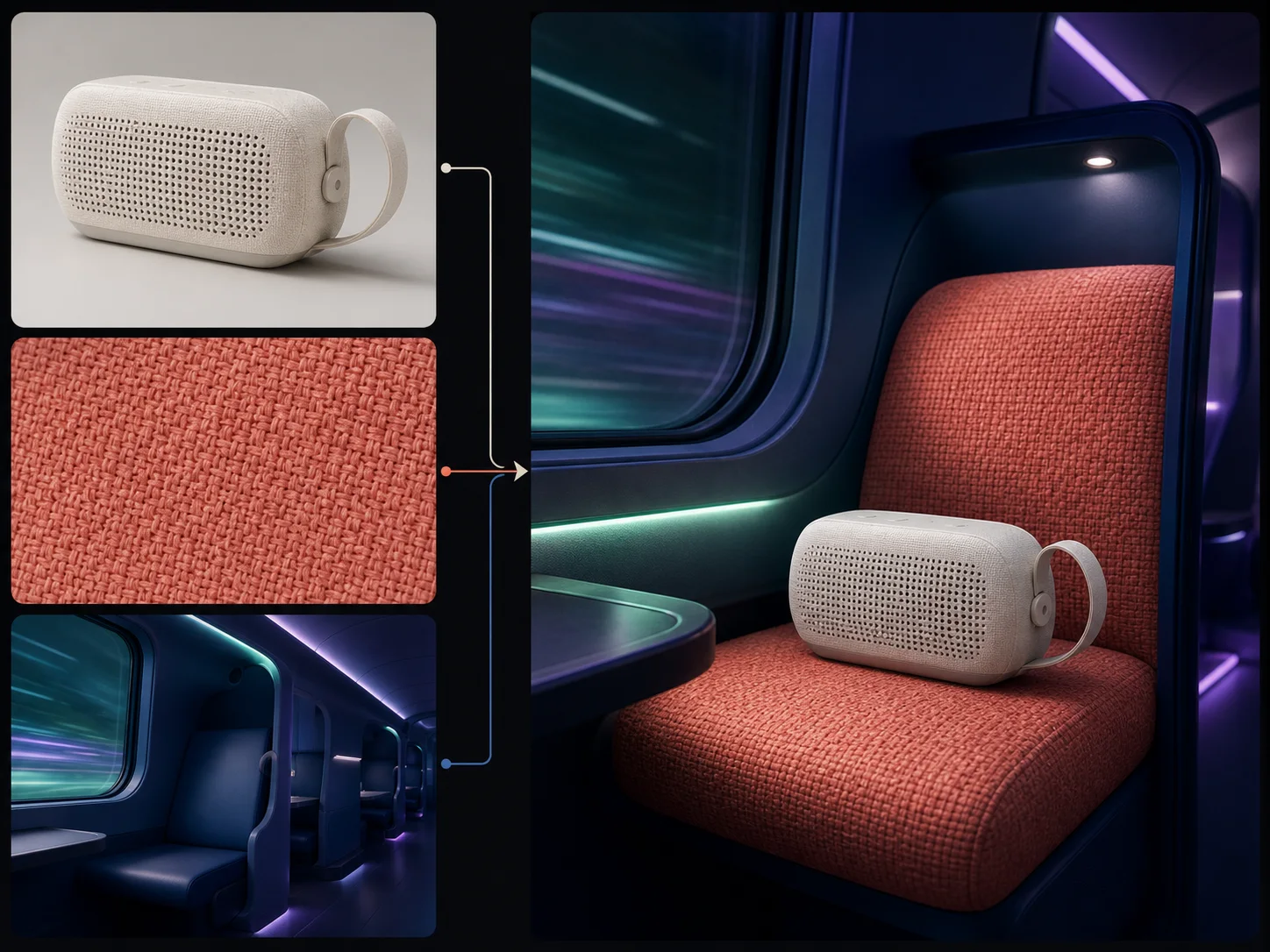
    Product, material, and environment references combined into one coherent travel-speaker campaign

    Combine subject, material, and environment references with explicit roles.

    Select Seedream 5 Lite when an edit must preserve a product shape, borrow a material from another source, and place both inside a third environment, because cross-modal reference understanding is central to the model's design.

    How Can You Get Better Seedream 5 Lite Results?

    Prompt Hierarchy
    Single jade kettle with clear subject hierarchy, controlled palette, and coherent lighting

    Lead with One Goal and Order Supporting Details

    Same kettle obscured by competing props, perspectives, patterns, and light sources

    Avoid Competing Subjects and Style Fragments

    Spatial Relationships
    Three geometric objects with explicit foreground, midground, and background relationships

    State Position, Depth, Scale, and Count Explicitly

    Same three objects with impossible overlaps, inconsistent scale, and ambiguous depth

    Avoid Leaving Object Relationships Ambiguous

    Reference Roles
    Three references with separate shape, palette, and environment roles resolved into one campaign

    Assign Each Image One Clear Responsibility

    Reference board producing a deformed product, conflicting palette, and mixed environment

    Avoid Conflicting Sources without Priority

    Edit End State
    Matched bicycle edit changing only frame color while preserving geometry and setting

    Name One Change and Every Fixed Detail

    Bicycle edit where frame, wheels, basket, camera, background, and lighting all drift

    Avoid Open-ended Requests That Invite Drift

    Seedream 5 Lite vs. Seedream 5 Pro vs. Nano Banana 2

    Best For

    Seedream 5 Lite

    Visual explanations, complex multi-subject briefs, reference-led style direction, targeted edits, and coordinated product concepts.

    Seedream 5 Pro

    High-detail image generation and editing when the same-family Pro tier is more important than Lite's 3K and 4K control bands.

    Nano Banana 2

    General image creation, repeated edits, text-aware graphics, recurring subjects, localization, and unusually wide or tall canvases.

    Core Strength

    Seedream 5 Lite

    ByteDance emphasizes multimodal intent understanding, visual reasoning, world knowledge, information visualization, subject consistency, and editing response.

    Seedream 5 Pro

    Uses the higher-tier Seedream workflow for quality-focused generation and reference-led editing.

    Nano Banana 2

    Combines Flash-oriented iteration with visible text, localization, multiple references, world knowledge, and flexible output formats.

    Reference Editing

    Seedream 5 Lite

    Nuzza stages up to sixteen images, while the current Fal target consumes at most ten; use ten or fewer clearly assigned sources for the final edit.

    Seedream 5 Pro

    Nuzza accepts one to sixteen staged edit-source images for the current Pro workflow.

    Nano Banana 2

    Nuzza accepts up to sixteen edit inputs for assigned subject, product, palette, location, texture, and lighting roles.

    Output Controls

    Seedream 5 Lite

    Offers six common size presets, automatic 2K, 3K, or 4K bands, and one to six outputs per request.

    Seedream 5 Pro

    Offers six common presets, automatic 1K or 2K bands, and one to six outputs per request.

    Nano Banana 2

    Offers fifteen aspect ratios, 0.5K, 1K, 2K, or 4K resolution, and one to four images per request.

    Starting Credits

    Seedream 5 Lite

    Uses 40 Credits for one output.

    Seedream 5 Pro

    Starts at 70 Credits for one standard output.

    Nano Banana 2

    Starts at 65 Credits for one 0.5K output.

    Choose When

    Seedream 5 Lite

    Choose Lite when reasoning-led structure, multi-reference editing, a 3K option, or up to six directions matters at the lower starting credit level.

    Seedream 5 Pro

    Choose Pro when the higher-tier Seedream option fits a final-quality brief and its higher starting credits are acceptable.

    Nano Banana 2

    Choose Nano Banana 2 when draft-resolution control, extreme aspect ratios, localization, or a Gemini-specific workflow matters more than six-output iteration.

    Nuzza keeps these models in one workspace with their current controls and starting credits visible, so you can choose by the demands of each brief without changing platforms.

    FAQs about Seedream 5 Lite

    What is Seedream 5 Lite?

    Seedream 5 Lite is ByteDance's unified multimodal model for generating and editing images. It is designed to reason about visual instructions, understand reference images, organize information, follow multi-subject relationships, and make targeted edits. Nuzza uses the shorter public name while keeping the existing internal model key stable.

    What is the best AI image generator?

    The best AI image generator depends on the input, intended result, budget, and controls you need. Seedream 5 Lite's Nuzza workflow is a strong choice because it is built around reasoning-oriented ByteDance generation and editing for structured visual work.

    Is Seedream 5 Lite free to use?

    The page is free to browse. Running a task requires Credits, and the current cost is shown before you submit.

    What can I use Seedream 5 Lite for?

    Seedream 5 Lite is useful for office and study visuals, e-commerce campaign systems, and multi-reference product composition. Choose Seedream 5 Lite for diagrams, presentation graphics, maps, and study aids when the main challenge is arranging several concepts into a readable relationship; verify the content before sharing it as factual material.

    What inputs does Seedream 5 Lite support?

    The reusable Nuzza editor can stage up to sixteen images, but the current Fal endpoint documents a maximum of ten and uses only the last ten if more are transmitted. Keep the final set to ten or fewer and give each image a distinct role, such as subject, product, material, palette, layout, or environment.

    Do I need to sign in to use Seedream 5 Lite?

    You can browse this page without signing in. Submitting a generation, storing persistent inputs, checking task status, and saving a finalized result require a Nuzza account.

    What should I check in the image result?

    No generated image should be treated as a factual source by itself. Review spelling, counts, arrows, labels, dates, formulas, proportions, physical relationships, and identity details before publishing. ByteDance also notes that the Lite model still has room to improve in structural stability, realism, and aesthetics.

    Can the Seedream 5 Lite AI image generator also edit images?

    Yes. You can start with a prompt for a new image or upload references for an edit. For editing, describe the required end state, assign a role to each source, and list the identity, geometry, composition, objects, and lighting that must remain unchanged.

    Where can I see the current Seedream 5 Lite cost?

    The Composer shows the current Credit cost before you submit. The amount can vary with the requested output settings.