
Your photo. Your comeback.
Angry Dance Filter AI Video Generator
The Angry Dance Filter AI Video Generator brings your subject into an exaggerated hand-gesture dance in a white kitchen, from the opening thumbs-up to the palm push and dramatic comeback. Explore the paired example and create a short clip for your social posts.
Watch the original performance.
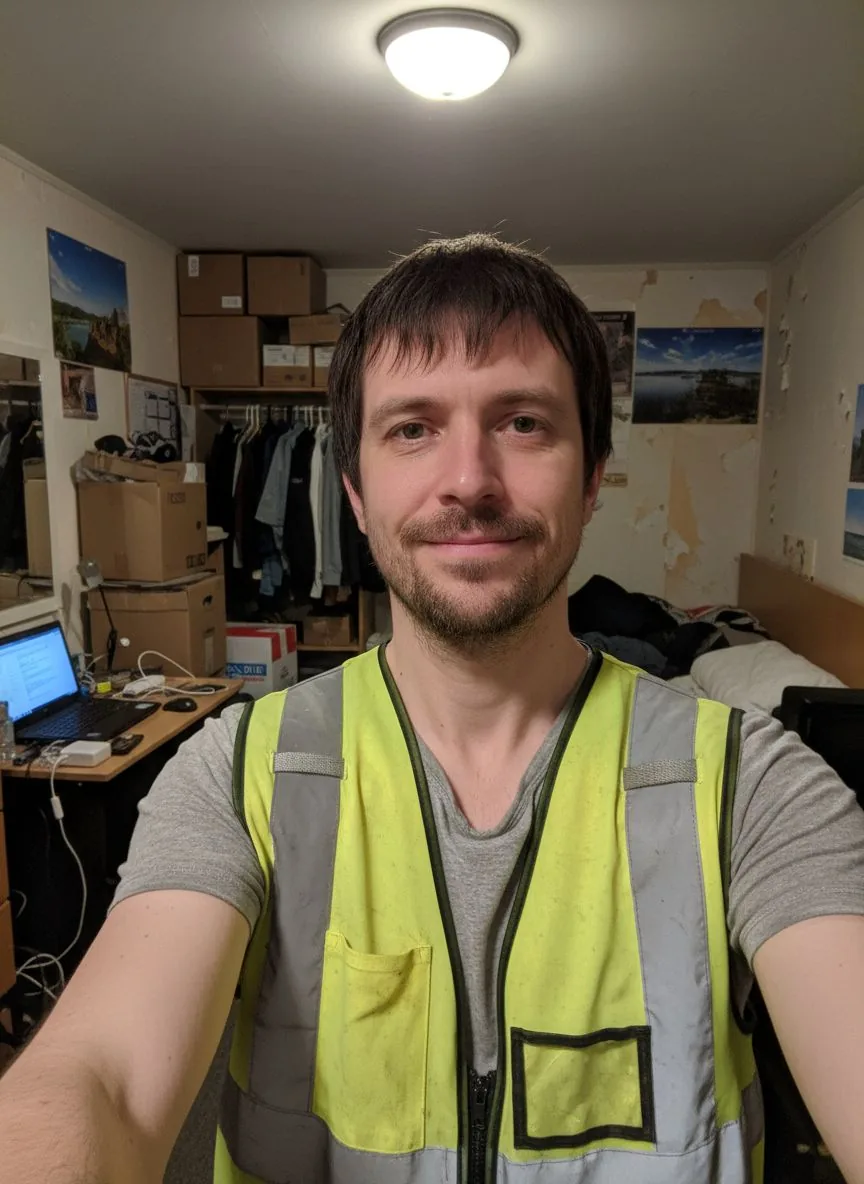
See a Angry Dance Filter video with its input photos.
How to make a Angry Dance Filter AI video
Add your photos.
Upload the photos requested by this template. Follow the labels and fill every required slot.
Choose your settings.
Choose from the available video options and review the credits before generating.
Generate and download.
Generate your video, watch the result and download the MP4. Find it again in your library.
What is the Angry Dance Filter AI Video Generator?
The Angry Dance Filter AI Video Generator follows this concept: A performer leans toward a kitchen camera, points a finger at an open palm, pushes a flat hand toward the lens and turns away before returning. The comedy comes from emphatic gestures and changing facial expressions rather than a complicated dance routine.
The kitchen and gesture sequence define the effect. Your photo supplies the main performer; you do not need to make an angry expression in the input.
The aim is to preserve the performer’s face, hair and outfit through the gestures. Fast hands near the lens, small fabric details and turns can vary, so watch the clip before sharing. Use the example as a guide to the scene and share only a finished result you are happy with.
Angry Dance Filter AI Video Generator FAQs
What is the Angry Dance Filter trend?
A performer leans toward a kitchen camera, points a finger at an open palm, pushes a flat hand toward the lens and turns away before returning. The comedy comes from emphatic gestures and changing facial expressions rather than a complicated dance routine.
What is the Angry Dance Filter AI Video Generator?
The Angry Dance Filter AI Video Generator is a photo-based template for an expressive kitchen dance. It combines labeled subject inputs with a prepared scene and movement concept. Explore this and other photo-to-video templates on Nuzza AI.
What is the best Angry Dance Filter AI Video Generator?
Different tools suit different workflows. Nuzza AI organizes the Angry Dance Filter effect around a reference clip, a paired example and labeled inputs, making it easier to understand the scene before creating your own version. Choose a workflow that fits the subject and result you want.
How does Nuzza AI’s Angry Dance Filter AI generator work?
The workflow starts with the photos requested by the template, followed by the available video settings. The prepared scene guides the effect while your inputs supply the subjects. The example on this page shows an expressive kitchen dance; check the creation panel for current availability.
What photos can I upload to Nuzza AI’s Angry Dance Filter generator?
Use one clear photo of one adult, with the face, hair and outfit visible. A waist-up image gives the scene more clothing detail than a very tight selfie.
Can I customize my Angry Dance Filter video on Nuzza AI?
The kitchen and gesture sequence define the effect. Your photo supplies the main performer; you do not need to make an angry expression in the input. Use the settings actually offered in the creation panel for format, quality and sound; not every visual detail is a separate option.
Is Nuzza AI’s Angry Dance Filter video generator free?
Yes. New users receive free credits when they sign up for Nuzza AI. Video creation uses credits according to the selected settings, and more credits are available through the available plans. Check the creation panel for this template’s current availability.
How long does the Angry Dance Filter AI video maker on Nuzza AI take?
Processing time varies with the selected settings and current demand. When generation is available, the task status shows its progress and the completed video can be found in your account library. A preview’s running time is not an estimate of generation time.
Will my Angry Dance Filter video preserve the subjects in my photos?
The aim is to preserve the performer’s face, hair and outfit through the gestures. Fast hands near the lens, small fabric details and turns can vary, so watch the clip before sharing.
How do I download and share my Angry Dance Filter video from Nuzza AI?
When your own generation is complete, open Your result to watch and download the MP4. It is also saved in your account library. You can upload the downloaded file to your preferred social platform; the previews on this page are examples, not your personal result.
Make it your own.
Ready for your Angry Dance Filter AI video?
Create your own version with Nuzza AI.
Make my Angry Dance Filter video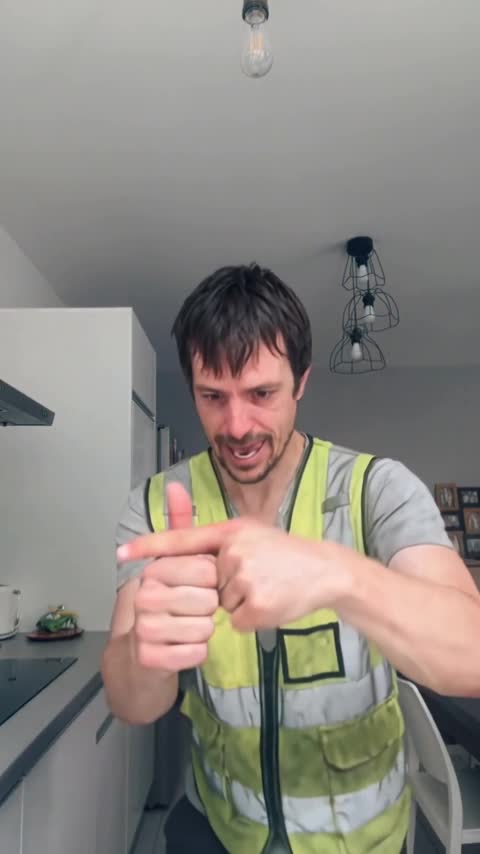
Nuzza AI