Upgrade
Loading account

Nano Banana 2 Lite

Nano Banana 2 Lite creates and edits 1K images from prompts or references across standard and extreme aspect ratios. Try Nano Banana 2 Lite on Nuzza with up to four results per run.

Describe what you want to create with Nano Banana 2 Lite

Loading inspiration gallery.

    Nano Banana 2 Lite: Compare Several Draft Directions

    Nano Banana 2 Lite workflow moving from a prompt to coordinated drafts and a focused image edit

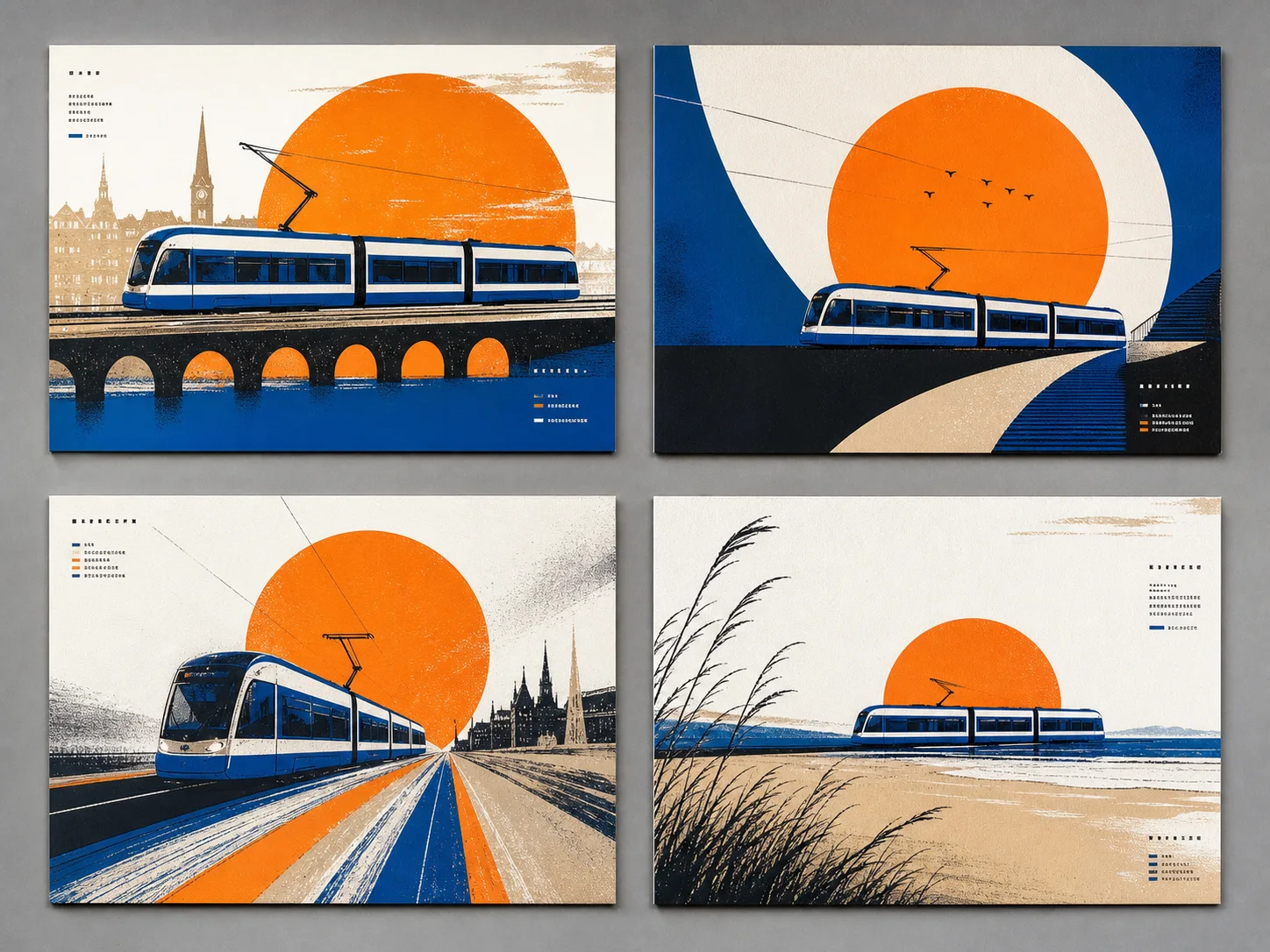
    When composition, palette, or styling is still open, ask for one to four results from the same brief and compare them before adding more constraints.

    Four coordinated campaign drafts exploring different compositions for the same fictional transit brief

    Compare Several Draft Directions

    When composition, palette, or styling is still open, ask for one to four results from the same brief and compare them before adding more constraints. Nano Banana 2 Lite is designed for rapid, high-volume ideation, making it a practical first stage for campaign concepts, story frames, thumbnails, and other work that benefits from repeated visual decisions.

    Try For Free
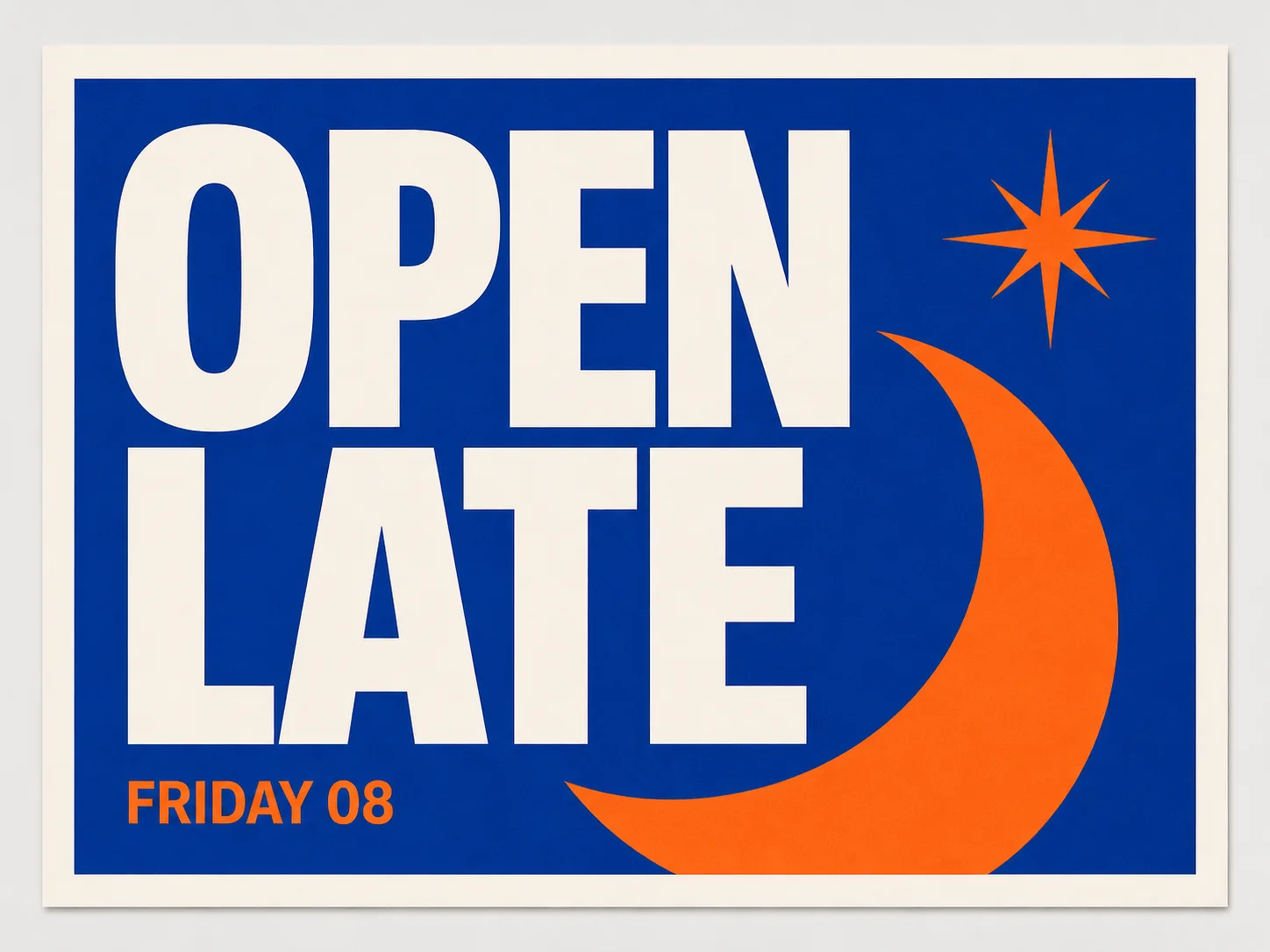
    Minimal orange and cobalt poster with the exact short headline OPEN LATE

    Build Graphics around Short Visible Copy

    Specify a concise headline, secondary line, placement, and hierarchy for a poster, card, label concept, or social graphic. Google highlights legible in-image text as a Lite strength, but spelling, punctuation, language, and letter spacing still require inspection before the result moves beyond a draft.

    Try For Free
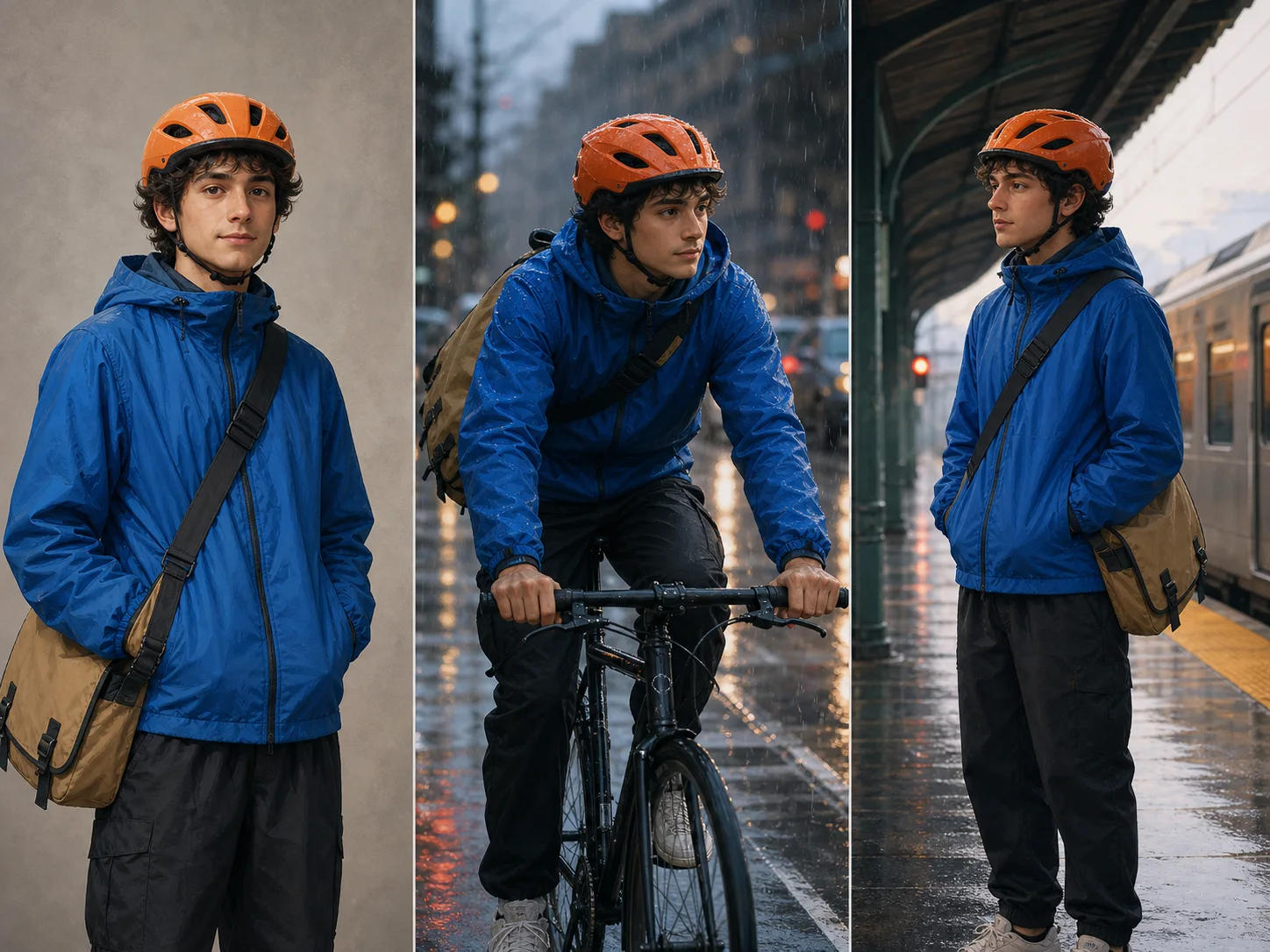
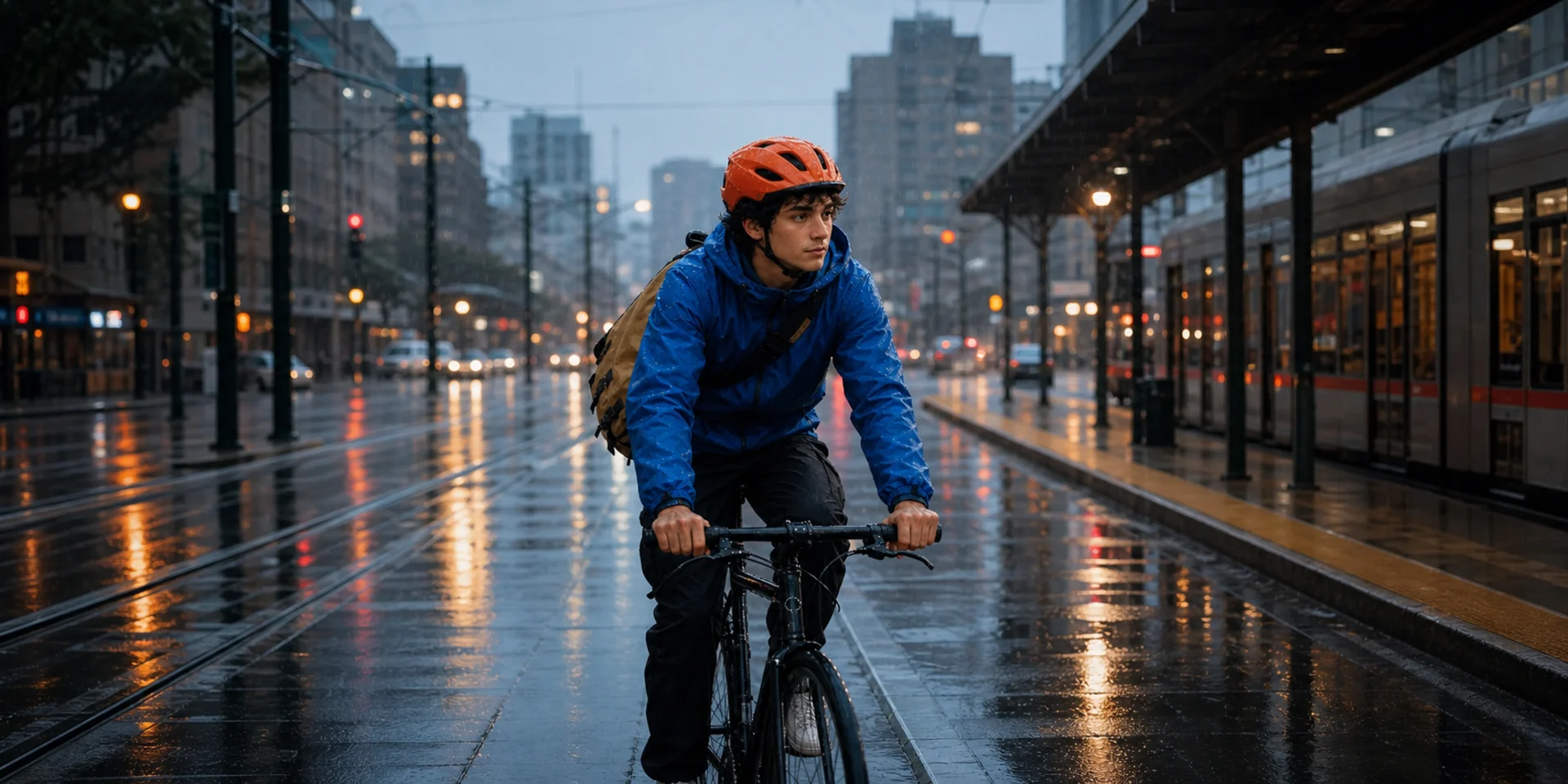
    Same original bicycle courier preserved across three different draft scenes

    Keep a Character Recognizable across Ideas

    Use a clear character anchor and repeat the identity details that matter while changing the action, setting, or camera. The model is designed to maintain strong character alignment, so it fits exploratory storyboards and recurring-subject concepts where continuity matters but each frame is still being reviewed and refined.

    Try For Free
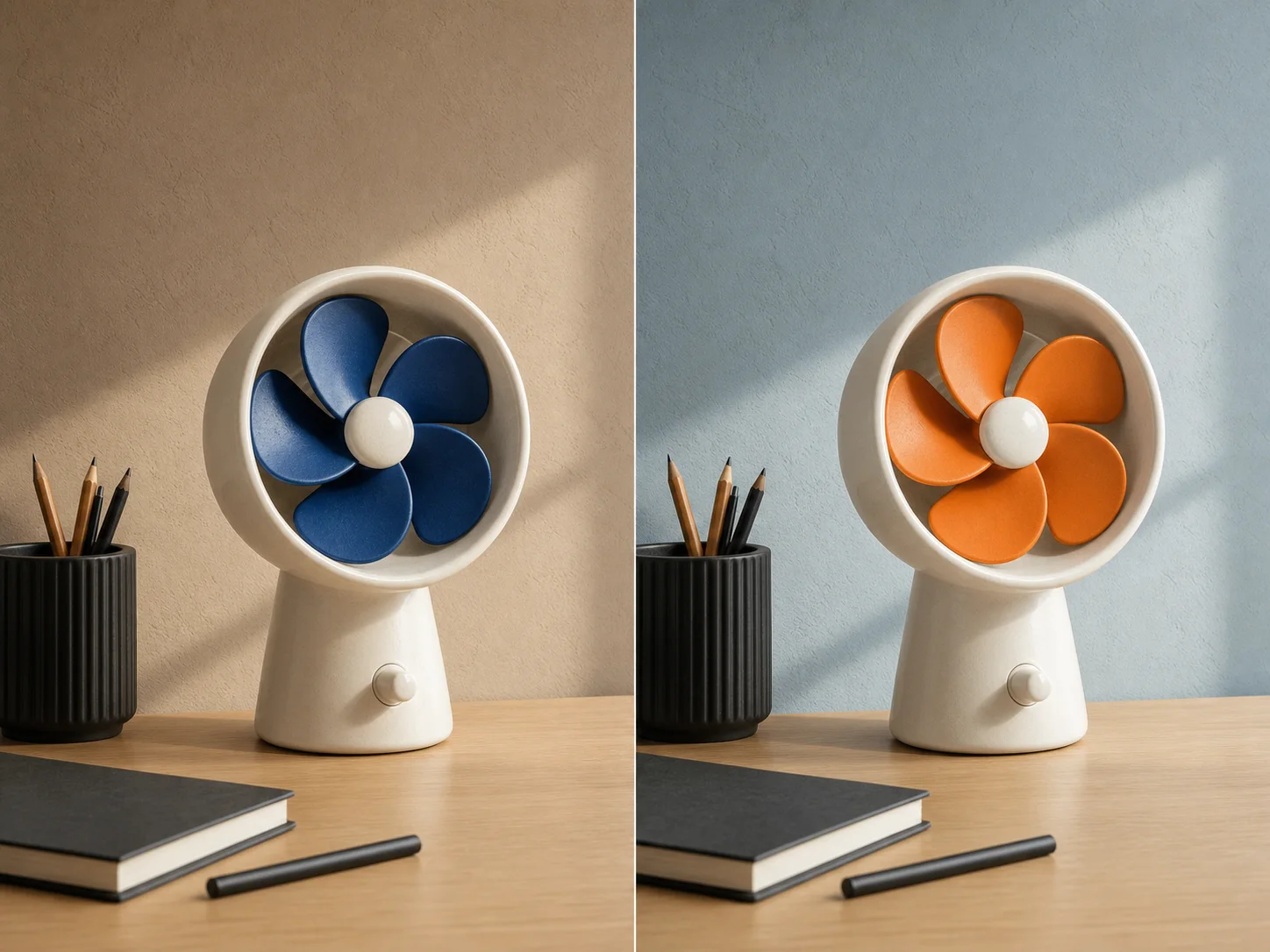
    Matched desk fan images showing only background and blade colors changed

    Make Focused Color and Background Changes

    Upload an existing visual and name one local revision, such as changing a product color, adjusting a wall tone, or simplifying the background. State the camera, geometry, subject identity, and untouched objects as invariants so a small edit does not turn into an unnecessary redesign.

    Try For Free
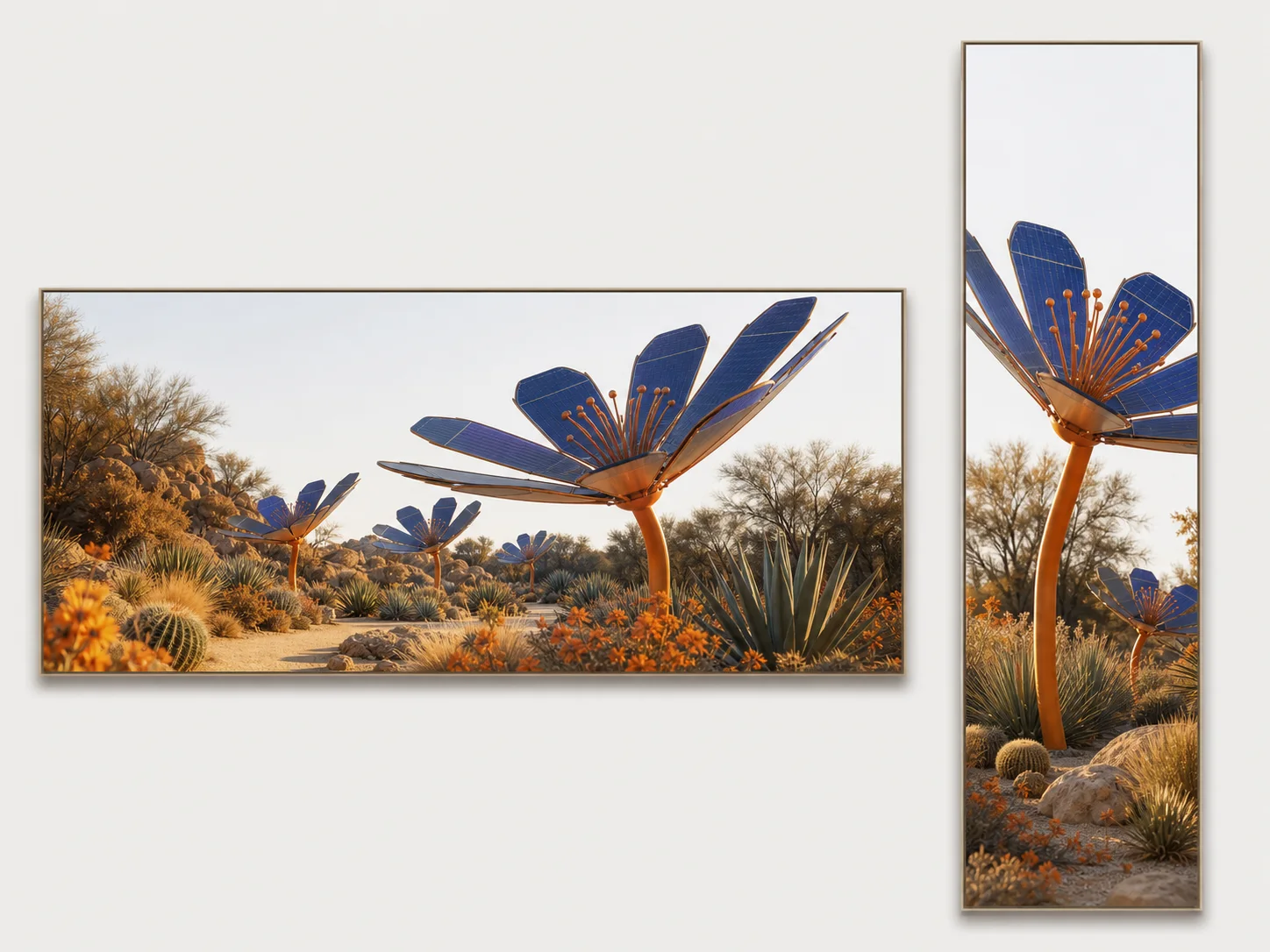
    One solar garden concept deliberately composed for ultra-wide and ultra-tall formats

    Plan Drafts for Standard and Extreme Formats

    Choose familiar square, portrait, landscape, or cinematic ratios, or test 4:1, 1:4, 8:1, and 1:8 compositions for banners and tall placements. Describe subject position, scale, and safe negative space because an unusual canvas needs deliberate hierarchy rather than a generic crop from a square idea.

    Try For Free

    How to Use Nano Banana 2 Lite

    Step 1

    Choose Generate or Edit

    Begin with a text prompt for a new image, or add reference images when a subject, composition, palette, or existing detail should guide the result.

    Step 2

    Describe the Draft and Its Constraints

    Name the subject, scene, composition, lighting, style, and any short visible text, then separate requested changes from details that must stay fixed.

    Step 3

    Set the Ratio and Review

    Choose Auto or a fixed aspect ratio, request one to four outputs, and inspect text, character continuity, geometry, and prompt coverage before refining the direction.

    When Should You Choose Nano Banana 2 Lite?

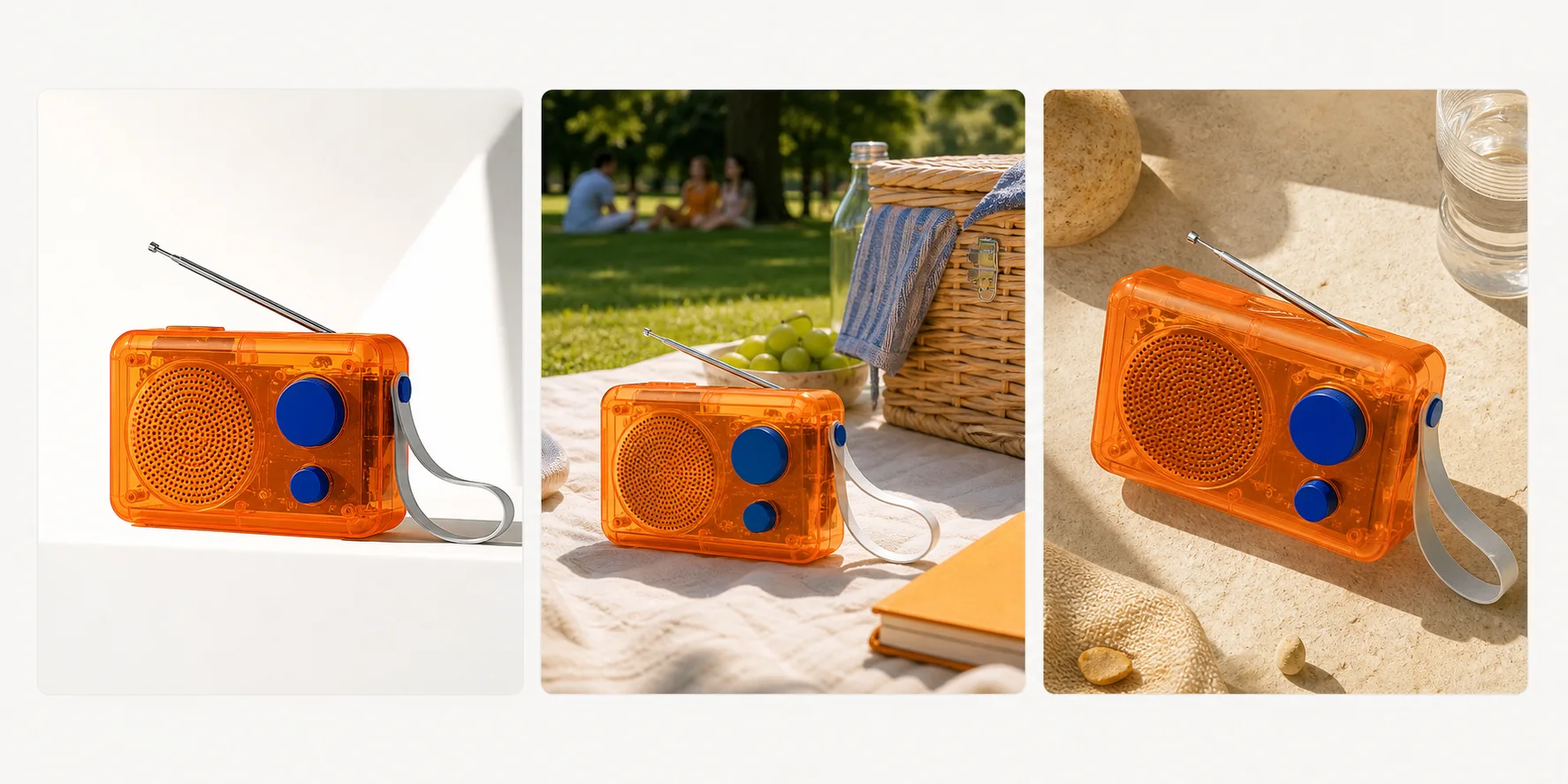
    Three coordinated product campaign drafts for one fictional orange radio

    Test several campaign directions before selecting one.

    Choose Nano Banana 2 Lite when a product, thumbnail, or campaign brief needs multiple 1K drafts, because its efficiency-first role and one-to-four output control support a compare-and-rewrite loop.

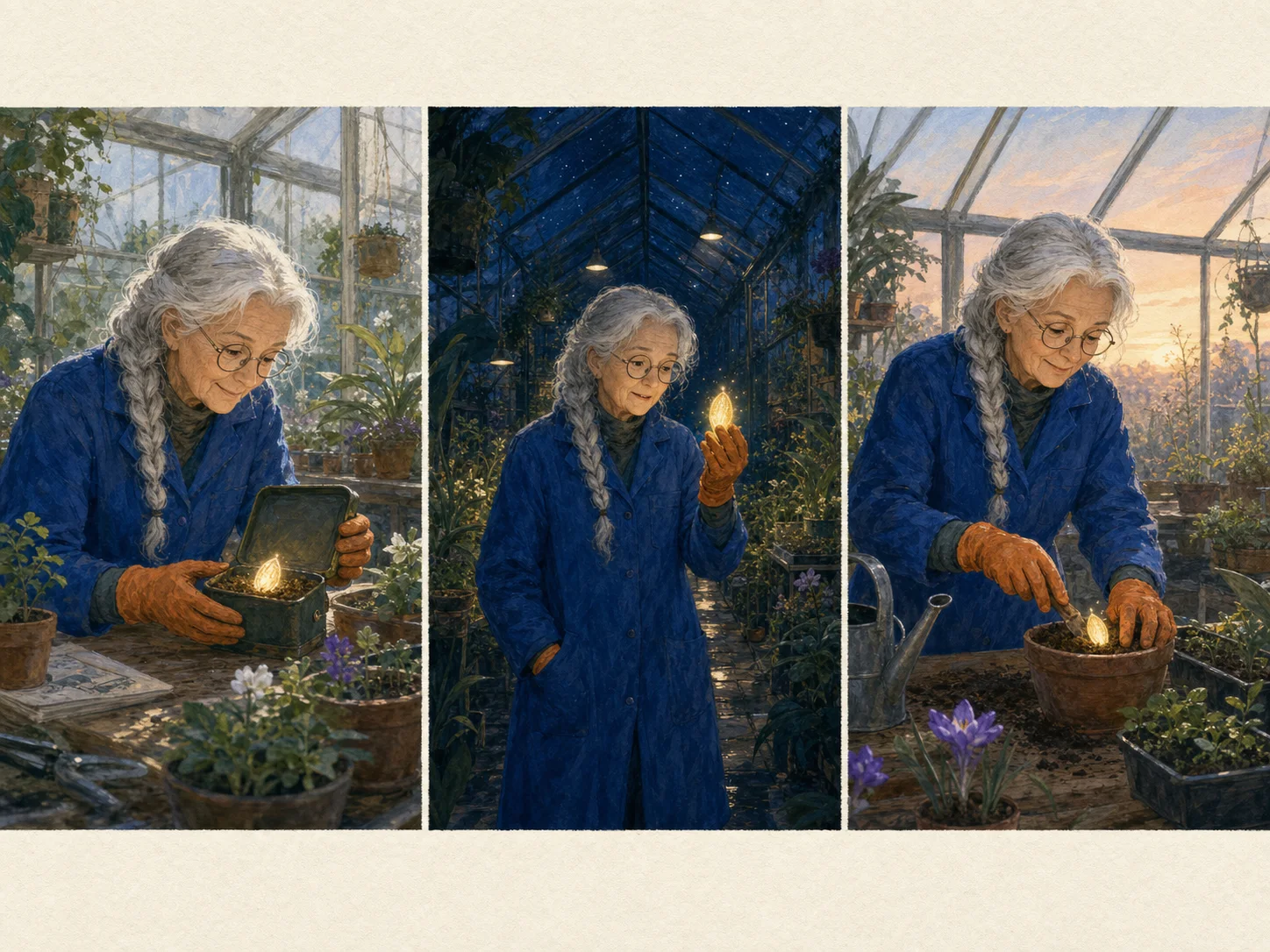
    Three-panel draft storyboard keeping one original botanist consistent

    Explore a sequence while checking the same character in each frame.

    Use Nano Banana 2 Lite for early storyboards when character alignment matters and quick scene changes are more valuable than starting every frame as a high-resolution final illustration.

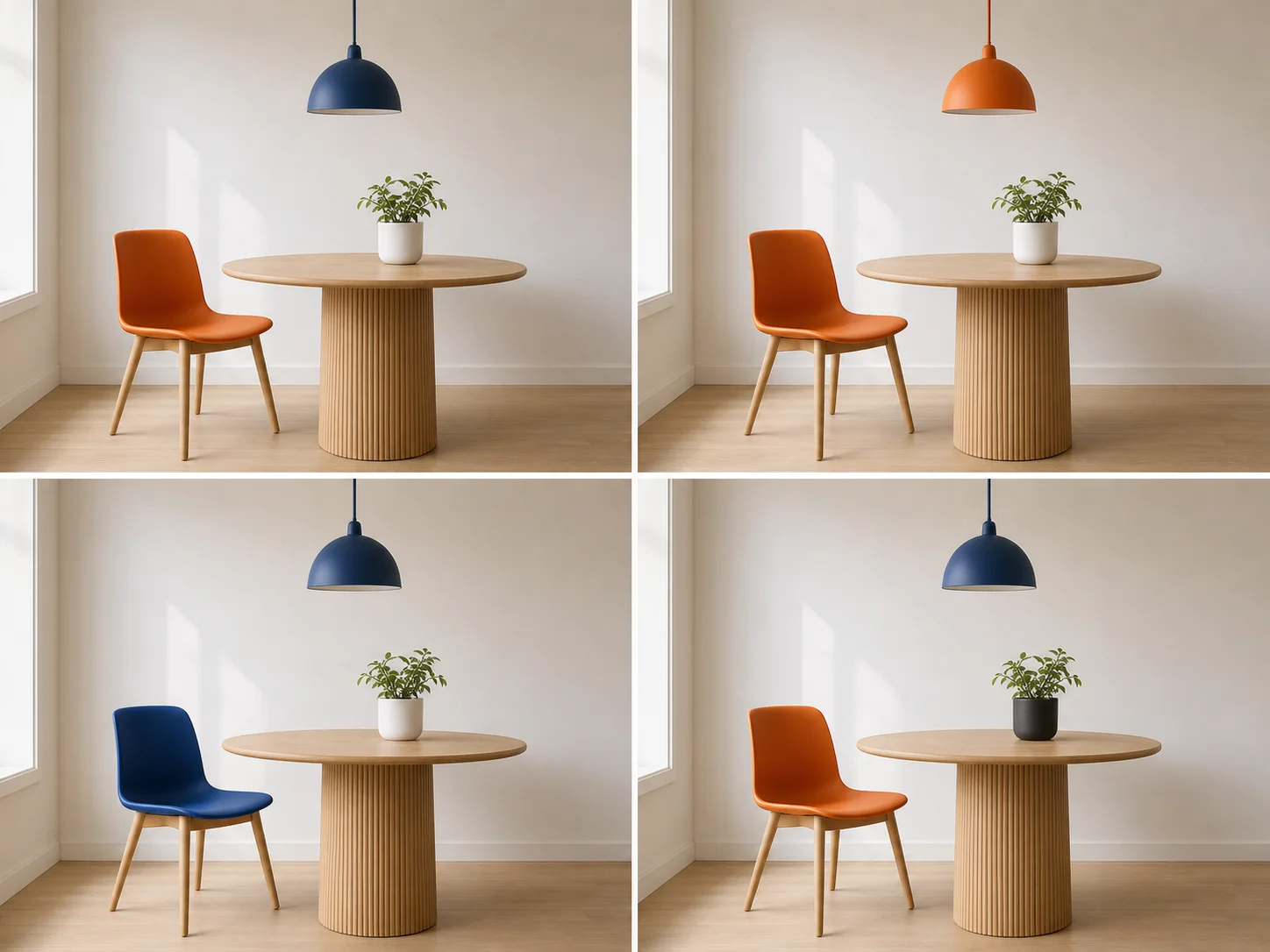
    Four matched interior drafts testing one local color change at a time

    Compare one controlled visual change at a time.

    Select Nano Banana 2 Lite when an existing concept needs color, material, object, or background variants, because its local-editing role fits small, inspectable changes without rebuilding the whole scene.

    How Can You Get Better Nano Banana 2 Lite Results?

    Draft Scope
    Comparable pavilion drafts that change only one color variable

    Change One Major Variable per Round

    Unrelated pavilion drafts where composition, style, geometry, and color all drift

    Avoid Changing Every Direction at Once

    Visible Text
    Clean poster with NIGHT MARKET and SAT 12 rendered once each

    Use Short Exact Copy and Check Every Character

    Same poster overcrowded with duplicated, misspelled, and overlapping copy

    Avoid Dense Copy and Unreviewed Type

    Reference Roles
    Product, palette, and location references assigned distinct roles in one coherent campaign

    Assign a Clear Job to Every Reference

    Conflicting product, palette, and location references producing an incoherent campaign

    Avoid Mixing Sources without Priority

    Local Editing
    Reading-corner edit that changes only the chair fabric color

    Name the Change and Preserve the Rest

    Reading-corner edit where furniture, camera, lighting, and room details all drift

    Avoid Broad Edits When Continuity Matters

    Nano Banana 2 Lite vs. Nano Banana 2 vs. Seedream 5 Lite

    Best For

    Nano Banana 2 Lite

    Rapid ideation, high-frequency draft comparison, concise text-aware graphics, recurring characters, and focused local revisions.

    Nano Banana 2

    General image creation, repeated edits, visible text, multiple references, unusual canvas formats, and final-resolution review in one model.

    Seedream 5 Lite

    Lightweight generation and editing workflows that need several alternatives or a 2K, 3K, or 4K project output setting.

    Model Emphasis

    Nano Banana 2 Lite

    Google's speed-and-cost specialist, optimized for 1K output while retaining prompt adherence, character alignment, and legible text as core strengths.

    Nano Banana 2

    Google's generalist workhorse, balancing performance and cost while extending the family workflow beyond Lite's 1K efficiency role.

    Seedream 5 Lite

    A cross-family light model that contrasts Nano Banana 2 Lite's fixed 1K, Gemini-centered speed-and-efficiency profile.

    Editing Inputs

    Nano Banana 2 Lite

    Nuzza accepts up to sixteen staged source images for edit, subject, palette, environment, or preservation roles.

    Nano Banana 2

    Nuzza accepts up to sixteen staged source images for explicit identity, product, palette, setting, and editing roles.

    Seedream 5 Lite

    Nuzza accepts one to sixteen edit-source images for reference-led changes and combinations.

    Output Controls

    Nano Banana 2 Lite

    Offers Auto plus fourteen fixed ratios, including 4:1, 1:4, 8:1, and 1:8, with one to four outputs per request.

    Nano Banana 2

    Offers the same Auto and fourteen fixed ratios plus 0.5K, 1K, 2K, or 4K resolution and one to four results.

    Seedream 5 Lite

    Offers six presets or Auto 2K, 3K, and 4K settings, with one to six separate generations per request.

    Starting Credits

    Nano Banana 2 Lite

    Uses 55 Credits for one output.

    Nano Banana 2

    Starts at 65 Credits for one 0.5K output.

    Seedream 5 Lite

    Uses 40 Credits for one output.

    Choose When

    Nano Banana 2 Lite

    Choose Lite when fast, inexpensive 1K exploration is the priority and the direction can be reviewed or moved to another model for higher-resolution finishing.

    Nano Banana 2

    Choose Nano Banana 2 when the same Gemini family needs a broader draft-to-final resolution range or a more balanced general-purpose profile.

    Seedream 5 Lite

    Choose Seedream 5 Lite when higher-resolution project controls or up to six outputs matter more than staying in Google's Nano Banana workflow.

    Nuzza keeps all three models in one workspace with their current inputs, ratios, resolutions, output counts, and credit quotes visible, so a Lite draft can lead into a different finishing model without changing creative platforms.

    FAQs about Nano Banana 2 Lite

    What is Nano Banana 2 Lite?

    Nano Banana 2 Lite is the public name for Google's Gemini 3.1 Flash Lite Image model. It generates and edits images and is designed as the efficiency specialist in the Nano Banana family. Google positions it for high-volume, interactive, and rapid-ideation workflows.

    What is the best AI image generator?

    The best AI image generator depends on the input, intended result, budget, and controls you need. Nano Banana 2 Lite's Nuzza workflow is a strong choice because it is built around efficiency-first Gemini image generation and editing for 1K drafting.

    Is Nano Banana 2 Lite free to use?

    The page is free to browse. Running a task requires Credits, and the current cost is shown before you submit.

    What can I use Nano Banana 2 Lite for?

    Yes. Nuzza supports both prompt-only generation and reference-led editing for Nano Banana 2 Lite. You can stage up to sixteen images in the edit workspace, but give each source a clear role and state which details must stay unchanged.

    What inputs does Nano Banana 2 Lite support?

    Nuzza supports both prompt-only generation and reference-led editing for Nano Banana 2 Lite. You can stage up to sixteen images in the edit workspace, but give each source a clear role and state which details must stay unchanged.

    Do I need to sign in to use Nano Banana 2 Lite?

    You can browse this page without signing in. Submitting a generation, storing persistent inputs, checking task status, and saving a finalized result require a Nuzza account.

    What should I check in the image result?

    Compare the result with the source or prompt at full size. Check faces, text, product geometry, repeated patterns, edges, and any detail the AI may have reconstructed.

    Is Nano Banana 2 Lite the same as Gemini 3.1 Flash Lite Image?

    Yes. The official model code is `gemini-3.1-flash-lite-image`, while Nano Banana 2 Lite is the public family name. It is different from Nano Banana 2, Nano Banana Pro, and the original Nano Banana model.

    What resolution and aspect ratios does Nano Banana 2 Lite support?

    Google documents Nano Banana 2 Lite as a 1K model and states that 2K and 4K are unsupported. Nuzza offers Auto plus fourteen fixed ratios, from standard square, portrait, and landscape formats to 4:1, 1:4, 8:1, and 1:8. The workspace does not expose a separate resolution selector for Lite.