
Two faces. One keyboard hook.
Alors On Danse AI Video Generator
The Alors On Danse AI Video Generator is built around a two-person white-studio performance built around a small keyboard hook. Use the labeled photo slots to cast the subjects, explore the paired example, and make a version for TikTok, Reels or Shorts when creation is available.
Watch the original performance.
See a Alors On Danse video with its input photos.

How to make a Alors On Danse AI video
Add your photos.
Upload the photos requested by this template. Follow the labels and fill every required slot.
Choose your settings.
Choose from the available video options and review the credits before generating.
Generate and download.
Generate your video, watch the result and download the MP4. Find it again in your library.
What is the Alors On Danse AI Video Generator?
The Alors On Danse AI Video Generator centers on a two-person white-studio performance built around a small keyboard hook. The sequence is recognizable through one person playing the keyboard while the other hums, gestures and rushes toward the camera.
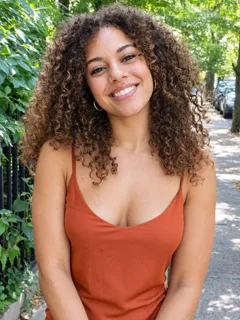
Use two separate photos for the keyboard player, hype partner. Clear faces, visible clothing and unobstructed subjects provide useful references. The displayed result and input photos form one paired example; your own subjects can give the same visual idea a different character.
Use the reference to understand the timing and framing, and compare it with the displayed example. Creation controls indicate the settings and availability for this template. Review any finished result before posting it to TikTok, Instagram Reels or YouTube Shorts.
Alors On Danse AI Video Generator FAQs
What is the Alors On Danse trend?
This trend features a two-person white-studio performance built around a small keyboard hook. Its recognizable sequence includes one person playing the keyboard while the other hums, gestures and rushes toward the camera. AI versions let people explore the same visual idea with different subjects.
What is the Alors On Danse AI Video Generator?
The Alors On Danse AI Video Generator is a photo-based template concept for a two-person white-studio performance built around a small keyboard hook. The page shows the reference and a result alongside its matching input photos. Explore more photo-to-video ideas on Nuzza AI.
What is the best Alors On Danse AI Video Generator?
Different tools suit different workflows. Nuzza AI keeps the Alors On Danse scene and input roles together in one template page, with a reference video and a paired example to help you understand the result before creating your version. Check the creation panel for current availability.
How does Nuzza AI’s Alors On Danse video generator work?
Follow the labeled photo slots for keyboard player, hype partner, then choose the available video settings. The template is intended to guide one person playing the keyboard while the other hums, gestures and rushes toward the camera. When generation is available, the resulting video can be watched and downloaded from your account.
What photos can I use with Nuzza AI’s Alors On Danse generator?
Use 2 separate photos for the keyboard player, hype partner. Clear faces, visible clothing and unobstructed subjects provide useful references. Use photos you own or have permission to animate. The photos beside the example are paired with that particular video.
Can I customize my Alors On Danse video on Nuzza AI?
The creation panel provides the supported duration, aspect ratio, quality and sound settings. Input photos define the subjects; the template supplies the prepared scene and action. Only use options shown as available for the current template.
Is Nuzza AI’s Alors On Danse video generator free?
Yes. New users receive free credits when they sign up for Nuzza AI. Video generation uses credits according to the selected settings and current availability. If you need more credits to cover a generation, check the available plans.
How long does a Alors On Danse AI video maker take?
Processing time depends on the selected settings, generation availability and current demand. The reference example is a finished video, not a guaranteed waiting-time estimate. Follow the status of your own task when creating a video.
Will my Alors On Danse video preserve my appearance?
The intended result keeps recognizable faces and clothing while applying the prepared action or transformation. Some templates deliberately change an outfit or accessories as part of the effect. AI can vary fine details, so review the finished video before sharing.
How do I download and share my Alors On Danse video from Nuzza AI?
When a supported generation finishes, open Your result to watch and download the MP4. Your completed creations are also saved in your account library. You can then upload your downloaded video to your preferred social platform.
Make it your own.
Ready for your Alors On Danse AI video?
Create your own version with Nuzza AI.
Make my Alors On Danse video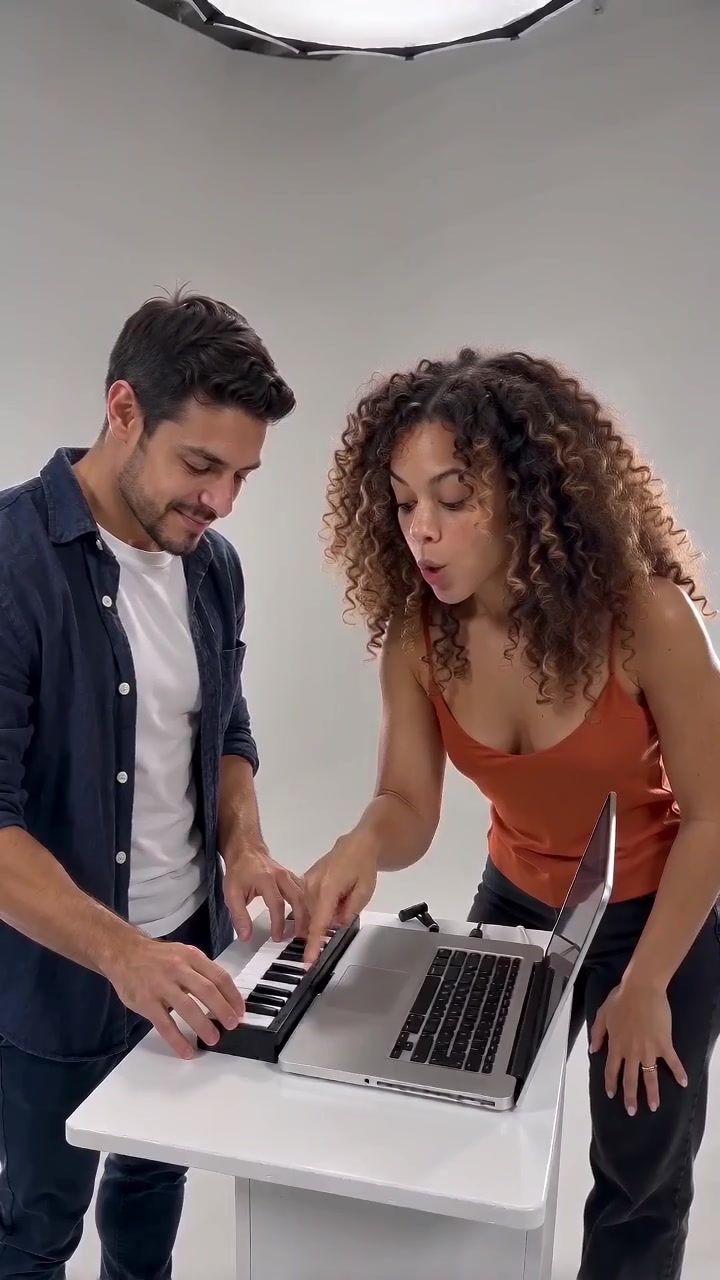
Nuzza AI