
Find your groove.
Charme Dance AI Video Generator
The Charme Dance AI Video Generator brings your subject into a relaxed dance in a lively nighttime square, with soft knees, side steps, shoulder movement and a lean into the turn. Explore the paired example and create a short clip for your social posts.
Watch the original performance.
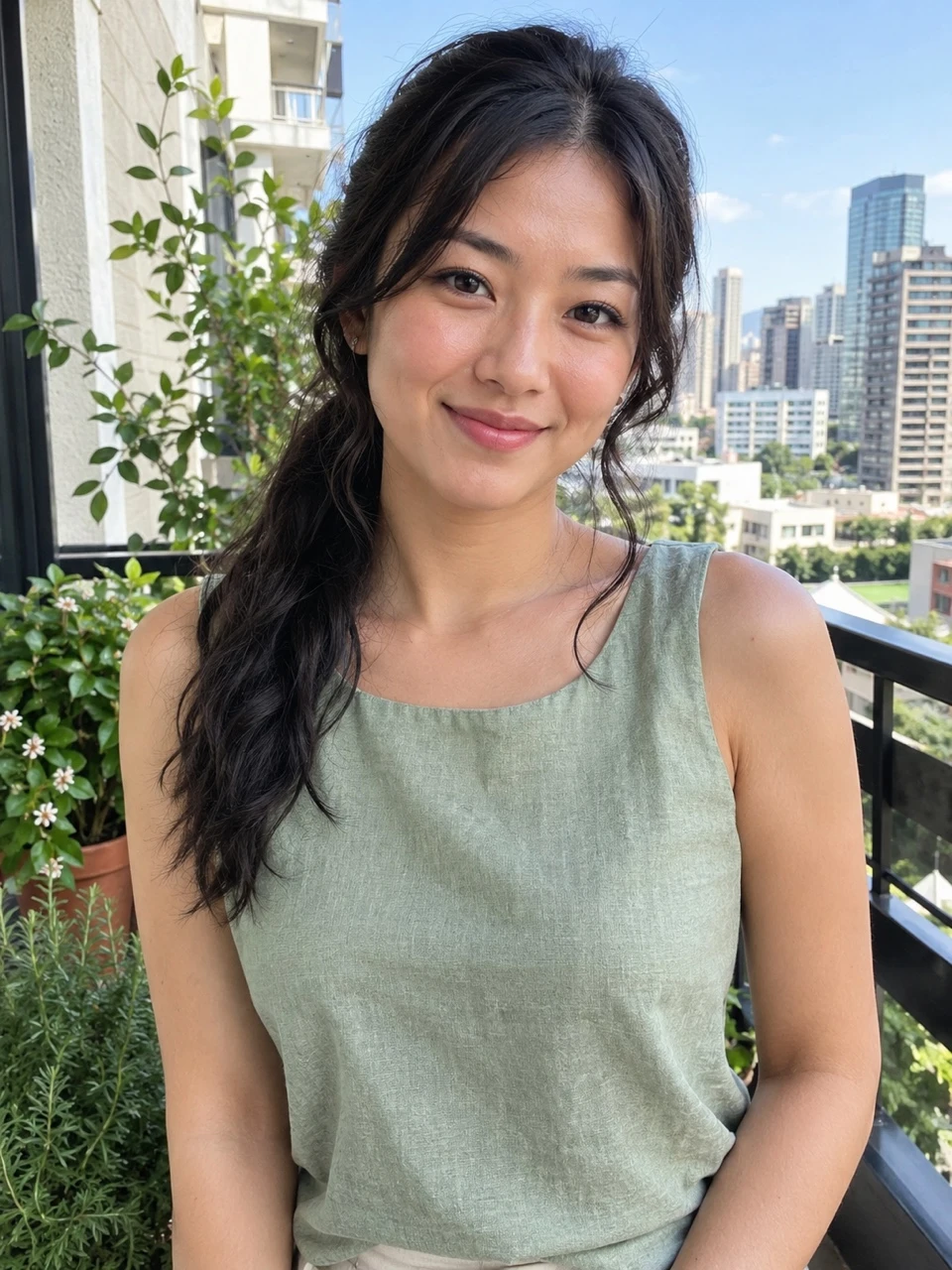
See a Charme Dance video with its input photos.
How to make a Charme Dance AI video
Add your photos.
Upload the photos requested by this template. Follow the labels and fill every required slot.
Choose your settings.
Choose from the available video options and review the credits before generating.
Generate and download.
Generate your video, watch the result and download the MP4. Find it again in your library.
What is the Charme Dance AI Video Generator?
The Charme Dance AI Video Generator follows this concept: Charme Dance is built around a relaxed groove: small side steps, soft knees, loose shoulders and a glance or lean into a turn. The surrounding crowd and nighttime square make the performance feel like a social dance rather than a staged solo.
Your photo supplies the foreground dancer while the square, surrounding adults and dance provide the setting. The uploaded photo’s background is not the feature being recreated.
The template aims to preserve recognizable facial features, hair and clothes. Fine skin marks, jewellery and fabric details may change during the turn and arm movement. Use the example as a guide to the scene and share only a finished result you are happy with.
Charme Dance AI Video Generator FAQs
What is the Charme Dance trend?
Charme Dance is built around a relaxed groove: small side steps, soft knees, loose shoulders and a glance or lean into a turn. The surrounding crowd and nighttime square make the performance feel like a social dance rather than a staged solo.
What is the Charme Dance AI Video Generator?
The Charme Dance AI Video Generator is a photo-based template for a smooth crowd-side dance. It combines labeled subject inputs with a prepared scene and movement concept. Explore this and other photo-to-video templates on Nuzza AI.
What is the best Charme Dance AI Video Generator?
Different tools suit different workflows. Nuzza AI organizes the Charme Dance effect around a reference clip, a paired example and labeled inputs, making it easier to understand the scene before creating your own version. Choose a workflow that fits the subject and result you want.
How does Nuzza AI’s Charme Dance AI generator work?
The workflow starts with the photos requested by the template, followed by the available video settings. The prepared scene guides the effect while your inputs supply the subjects. The example on this page shows a smooth crowd-side dance; check the creation panel for current availability.
What photos can I upload to Nuzza AI’s Charme Dance generator?
Use one clear photo of an adult with an unobstructed face and visible hair and clothing. A wider standing image can supply more of the outfit; a similar pose to the dance is not required.
Can I customize my Charme Dance video on Nuzza AI?
Your photo supplies the foreground dancer while the square, surrounding adults and dance provide the setting. The uploaded photo’s background is not the feature being recreated. Use the settings actually offered in the creation panel for format, quality and sound; not every visual detail is a separate option.
Is Nuzza AI’s Charme Dance video generator free?
Yes. New users receive free credits when they sign up for Nuzza AI. Video creation uses credits according to the selected settings, and more credits are available through the available plans. Check the creation panel for this template’s current availability.
How long does the Charme Dance AI video maker on Nuzza AI take?
Processing time varies with the selected settings and current demand. When generation is available, the task status shows its progress and the completed video can be found in your account library. A preview’s running time is not an estimate of generation time.
Will my Charme Dance video preserve the subjects in my photos?
The template aims to preserve recognizable facial features, hair and clothes. Fine skin marks, jewellery and fabric details may change during the turn and arm movement.
How do I download and share my Charme Dance video from Nuzza AI?
When your own generation is complete, open Your result to watch and download the MP4. It is also saved in your account library. You can upload the downloaded file to your preferred social platform; the previews on this page are examples, not your personal result.
Make it your own.
Ready for your Charme Dance AI video?
Create your own version with Nuzza AI.
Make my Charme Dance video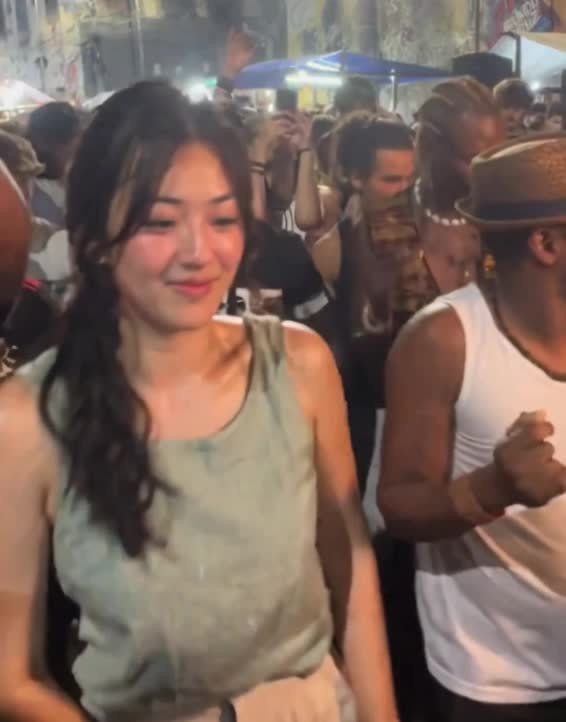
Nuzza AI