
Your turn at the wheel.
Hit The Road Dude AI Video Generator
The Hit The Road Dude AI Video Generator places a new subject in the white-pickup meme, with the stare-down, pointing gestures and familiar exchange. Preview the driver’s performance and prepare your own version from a photo.
Watch the original performance.
See a Hit The Road Dude video with its input photos.

How to make a Hit The Road Dude AI video
Add your photos.
Upload the photos requested by this template. Follow the labels and fill every required slot.
Choose your settings.
Choose from the available video options and review the credits before generating.
Generate and download.
Generate your video, watch the result and download the MP4. Find it again in your library.
What is the Hit The Road Dude AI Video Generator?
Hit The Road Dude AI Video Generator focuses on the white-pickup stare-down and private-property exchange. The driver leans toward the open window of a white pickup, points outward and delivers the familiar private-property exchange. The close camera position and changing expressions make the driver the focus.
Use one clear photo of the person or pet you want in the driver’s seat. Keep the face or animal’s main features unobstructed, with enough of the outfit or body visible for the close-up.
Use the white-pickup exchange for a short reaction clip or a playful driving meme. The driver’s stare, pointing gestures and comic delivery carry the scene; keep the subject easy to recognize and review the finished sequence before sharing.
Hit The Road Dude AI Video Generator FAQs
What is the Hit The Road Dude trend?
The driver leans toward the open window of a white pickup, points outward and delivers the familiar private-property exchange. The close camera position and changing expressions make the driver the focus.
What is the Hit The Road Dude AI Video Generator?
The Hit The Road Dude AI Video Generator is a photo-based template for the white-pickup stare-down and private-property exchange. It brings an effect preview, matching input-photo guidance and video settings together on Nuzza AI.
What is the best Hit The Road Dude AI Video Generator?
Different tools suit different workflows. Nuzza AI brings the Hit The Road Dude preview and its photo inputs together in one page, so you can understand the effect before preparing your own version. Look for a clear example, suitable input guidance and the settings you need.
How does the Hit The Road Dude AI generator on Nuzza AI work?
Follow the labeled photo slots, choose the available settings and use the creation button when it is enabled. For Hit The Road Dude, the target is the white-pickup stare-down and private-property exchange. Watch and download your result when generation finishes.
What photos can I use with Nuzza AI’s Hit The Road Dude generator?
Use one clear photo of the person or pet you want in the driver’s seat. Keep the face or animal’s main features unobstructed, with enough of the outfit or body visible for the close-up.
Can I customize my Hit The Road Dude video on Nuzza AI?
The creation panel shows the available length, shape, quality and sound settings. Settings for a future generation do not change the fixed example shown beside its input photos.
Is Nuzza AI’s Hit The Road Dude video generator free?
Yes. New users receive free credits when they sign up for Nuzza AI, and credits can be used toward available video generation. The required credits depend on the selected settings. If you need more credits, explore the available plans.
How long does Nuzza AI’s Hit The Road Dude AI video maker take?
When creation is enabled, generation time depends on the selected settings and current processing demand. Follow the task status on the page rather than relying on a fixed completion time. The preview can be watched independently of any generation.
Will my Hit The Road Dude video preserve my subject’s appearance?
The subject should remain identifiable at the window, but AI may vary expressions, hands, mouth movement and fine details. Matching dialogue timing is an effect goal, not a guarantee of exact lip sync.
How do I download and share my Hit The Road Dude video from Nuzza AI?
After an available generation finishes, open Your result to watch and download the MP4. Your generated video is also saved in your account library. You can then upload the file to your preferred social platform.
Make it your own.
Ready for your Hit The Road Dude AI video?
Create your own version with Nuzza AI.
Make my Hit The Road Dude video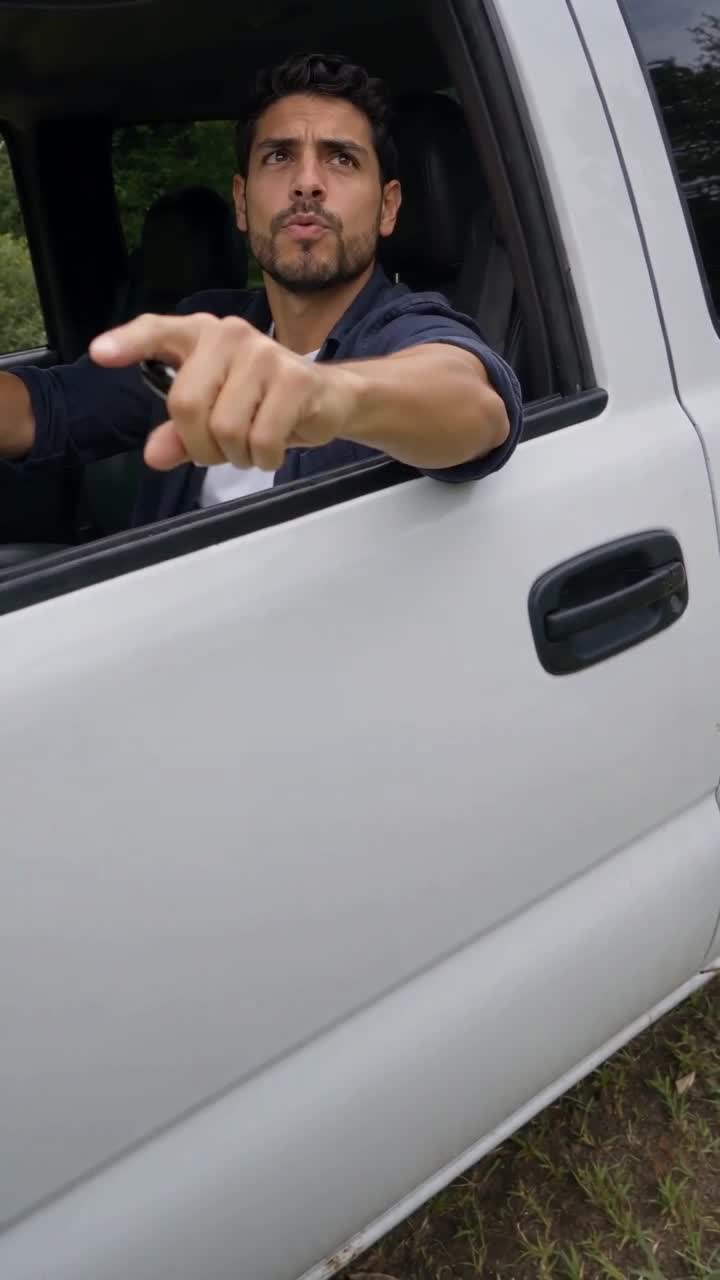
Nuzza AI